ChatGPT vs SOP Software: When AI Chat Isn't Enough for Work Instructions

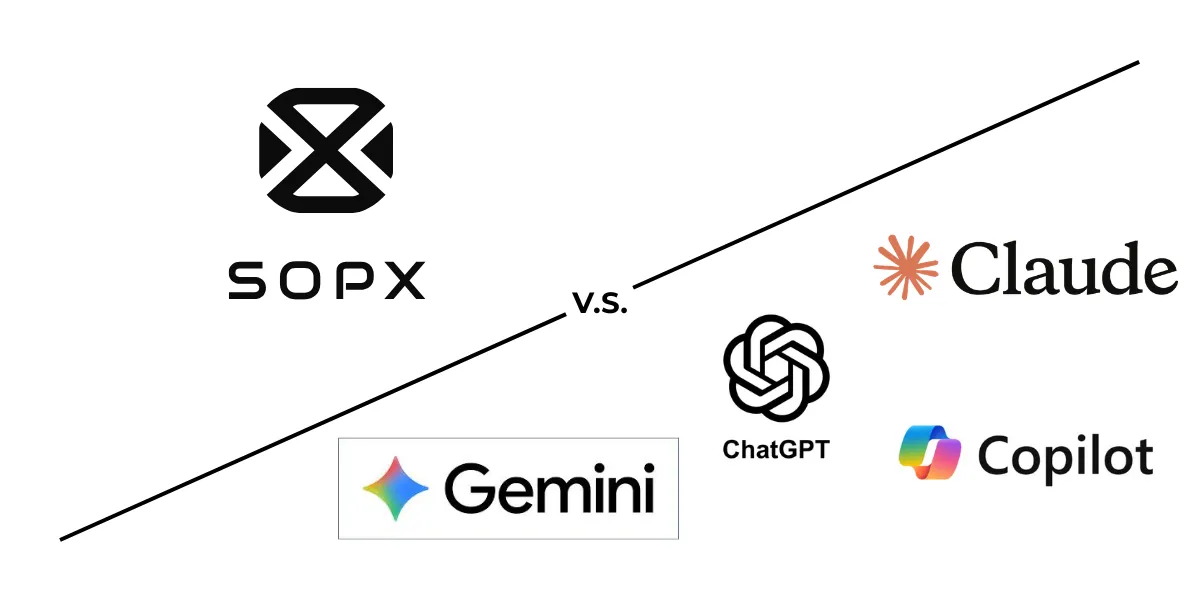
Compare ChatGPT, Copilot, and Gemini with purpose-built SOP software for creating work instructions. Honest breakdown of when general AI is enough and when you need more.
30-second summary
ChatGPT, Copilot, and Gemini can draft SOP text from prompts, and even analyze video, but the output is still unstructured text in a chat window. No step-level versioning, no auto-extracted visuals per step, no compliance workflows, no multilingual distribution. This guide gives you ready-to-use prompts for general AI tools, shows exactly where they fall short for operational documentation, and helps you decide whether your team needs purpose-built SOP software.
The real question operations teams are asking
“We already have ChatGPT. Why would we pay for SOP software?”
It’s a fair question. ChatGPT is powerful, widely available, and costs $20/month or less. If it can generate SOPs from a prompt, why invest in a separate tool?
The short answer: it depends on what you’re documenting, how often it changes, and who needs to use it.
For some teams, ChatGPT is genuinely enough. For others, it creates a false sense of progress. You get a document that looks like an SOP but doesn’t survive contact with reality.
This article is an honest breakdown. We’ll show you exactly what general AI tools do well, give you prompts you can use today, and explain where purpose-built SOP software earns its cost. We build SOPX, so we have a perspective, but we’ll be upfront about when you don’t need us.
What ChatGPT, Copilot, and Gemini actually do well for SOPs
General AI tools are genuinely useful for specific SOP tasks. Here’s where they shine, with prompts you can copy and use right now.
Brainstorming SOP outlines
When you’re starting from zero and need to figure out what a procedure should cover, AI chatbots are excellent brainstorming partners. They can suggest steps, safety considerations, and structure based on industry knowledge.
This works especially well when you have a general idea of the process but haven’t documented it before.
Try this prompt:
You are a process documentation expert. I need to create an SOP outline for [PROCESS NAME] in a [INDUSTRY] environment. The process involves [BRIEF DESCRIPTION]. Generate a structured outline with: numbered steps, safety considerations for each step, required tools/materials, and quality checkpoints. Format as a numbered list with sub-bullets.
Drafting text-based procedures
For straightforward office or administrative processes (things like “how to submit a purchase order” or “how to onboard a new vendor in our ERP”), ChatGPT produces solid first drafts.
The key limitation: the output is only as good as your description. If you forget to mention a step, the AI won’t catch it.
Try this prompt:
Write a step-by-step standard operating procedure for the following process. Use clear, direct language. Each step should start with an action verb. Include a “Prerequisites” section at the top and a “Verification” section at the bottom. Here is the process: [PASTE YOUR NOTES OR DESCRIBE THE PROCESS IN DETAIL]
Reformatting existing documentation
If you have messy notes, email threads, or bullet-point outlines that describe a process, AI chatbots are fast at reformatting them into a clean SOP structure.
This is one of the strongest use cases. You’re not asking the AI to know your process, just to organize information you already have.
Try this prompt:
Reformat the following raw notes into a structured SOP document. Use this format: Title, Purpose, Scope, Prerequisites, Step-by-step procedure (numbered, with action verbs), Safety notes (if applicable), Quality checks, and Revision history placeholder. Keep all technical details from the original notes. Do not add information that isn’t present. Here are my notes: [PASTE NOTES]
Translating short documents
For quick translations of a single procedure, ChatGPT handles common languages reasonably well. It’s faster than hiring a translator for a one-off document.
The caveat: it translates words, not operational context. Technical terms may be translated literally rather than using the accepted industry term in the target language.
Try this prompt:
Translate the following work instruction into [TARGET LANGUAGE]. Preserve the exact step numbering and formatting. For technical terms specific to [INDUSTRY], use the standard industry terminology in [TARGET LANGUAGE] rather than literal translation. If you’re unsure about a technical term, keep the English term in parentheses. Here is the work instruction: [PASTE PROCEDURE]
Where general AI tools break down
The prompts above work. But they work for a narrow set of situations. Here’s where general AI tools hit real limits, and these limits matter more as your documentation needs grow.
They can watch video, but that’s not the same as processing it
Let’s be clear: ChatGPT (GPT-4o), Gemini, and Copilot can accept video uploads and describe what they see. You can upload a process recording and ask for a step-by-step breakdown. This is real, and it works to a degree.
But there’s a gap between “describing a video in text” and “producing operational documentation from a video.”
Here’s what actually happens when you try to upload a process video to ChatGPT:
- File size limits stop you before you start. A 20-minute video recorded on an iPhone easily exceeds 1 GB. ChatGPT, Gemini, and Copilot all have upload limits well below that. You’ll need to compress or trim the video before the AI even sees it, which means losing resolution, cutting context, or spending time on file prep that defeats the purpose of “fast documentation.”
- You get a text summary in a chat window. Not a structured document with individual steps you can edit, version, or distribute.
- No auto-extracted screenshots or video clips per step. The AI describes what it sees, but doesn’t give you the visual assets operators need on the floor.
- Step boundaries are approximate. General AI identifies rough phases (“the operator then adjusts the machine”) but often misses subtle actions, tool changes, and safety checks that matter in practice.
- Long or complex videos lose detail. A 20-minute changeover procedure gets compressed into generic descriptions. The specific torque setting, the hand position on the fixture, the machine state indicator: these details get lost.
- Every upload is a one-off. There’s no connection between this video and the next one. No consistent structure, no terminology memory, no organizational context.
The fundamental difference: general AI tools describe a video. Purpose-built SOP software decomposes a video into discrete, editable, versionable steps, each with its own screenshot, video clip, description, and metadata.
When a machine operator performs a changeover from memory, they typically skip mentioning 20–40% of the steps they actually perform. Not because they’re careless, but because expert knowledge becomes unconscious. Video captures those steps. But the value of video-based documentation depends on how precisely those steps are extracted, and a chat-window summary doesn’t give you the granularity that shop-floor instructions require.
According to the 2019 IEEE Pulse of Engineering report, 97% of manufacturing companies fear losing institutional knowledge as experienced workers retire. Recording the expert captures that knowledge. But the tool you use to process the recording determines whether it becomes a usable, maintainable SOP or a text block that nobody updates.
For more on this approach, see our guide on converting training videos to SOPs.
Every output is a one-off
When you generate an SOP in ChatGPT, you get a block of text in a chat window. That’s it.
There’s no version history. No way to update Step 4 without regenerating the whole document. No record of what changed, when, or why. No approval trail showing who reviewed and signed off.
For a one-time, informal procedure, this is fine. For anything that needs to stay current (and most operational procedures change regularly), it becomes a problem fast.
You end up with multiple versions in different chat threads, Google Docs, and email attachments. Nobody knows which one is current. This is the exact documentation chaos that SOPs are supposed to prevent.
Purpose-built SOP software maintains a single source of truth with step-level versioning, change tracking, and approval workflows. When a process changes, you update the affected steps, not the whole document.
No structure beyond the chat window
A ChatGPT conversation is not a documentation system.
After generating an SOP, you still need to:
- Copy it somewhere permanent
- Format it for your template
- Make it findable by the people who need it
- Keep it accessible on the shop floor
- Update it when the process changes
There’s no searchable knowledge base. No way to organize procedures by department, machine, or process area. No QR codes for point-of-use access. No mobile-optimized viewing for operators on the floor.
The SOP itself might be fine. The system around it doesn’t exist.
Translation without operational context
ChatGPT can translate text. But translating work instructions for a multilingual shop floor is different from translating a paragraph.
The problems show up when you scale:
- Terminology drift. The same machine part gets translated differently across 10 procedures because each translation was a separate chat session.
- No review workflow. Nobody who speaks the target language reviews the translation step by step.
- Context loss. Safety warnings, emphasis, and operational nuance get flattened in translation.
- No consistency. There’s no terminology memory across documents.
For a single procedure in one language, this is manageable. For an organization with 200 procedures across 3+ languages, it breaks down. Purpose-built tools maintain terminology consistency across all documents and provide step-by-step review workflows for each language.
No compliance or approval workflow
Regulated industries don’t just need SOPs. They need proof that SOPs were reviewed, approved, and distributed correctly.
ChatGPT provides none of this:
- No role-based access control (who can edit vs. view)
- No review and approval workflow
- No audit trail for regulatory inspections
- No evidence of distribution (who received which version)
- No change control documentation
For ISO 9001, FDA, GMP, or HACCP compliance, this isn’t optional. Auditors don’t accept “we generated it in ChatGPT and emailed it around.”
Side-by-side comparison
| Capability | ChatGPT / Copilot / Gemini | Purpose-built SOP software |
|---|---|---|
| Generate SOP from text prompt | Yes | Some tools support this |
| Generate SOP from video | Partial: text summary only | Yes: structured steps with visuals |
| Auto-extract screenshots/images | No: describes but doesn’t extract | Yes: from video frames |
| Step-by-step versioning | No | Yes |
| Update individual steps | No: regenerate entire doc | Yes: edit only what changed |
| Searchable knowledge base | No | Yes |
| Compliance approval workflow | No | Yes: review, approve, publish |
| Audit trail | No | Yes |
| Role-based access | No | Yes |
| Multilingual (context-aware) | Basic: per-session, no memory | Advanced: consistent terminology |
| Mobile / QR distribution | No | Yes |
| Visual content per step | No: text only | Yes: images and video clips |
| Collaboration | Share a chat link | Role-based editing and review |
| Cost | $0–20/mo per user | $9–25/mo per user (varies) |
When ChatGPT is genuinely enough
Be honest with yourself. If the following describes your situation, ChatGPT may be all you need:
- Simple office procedures. Fewer than 10 steps, entirely text-based, no physical actions to capture.
- One-off documentation. A procedure that won’t change and doesn’t need version tracking.
- Brainstorming phase. You’re exploring what an SOP should cover before formal documentation.
- Small team, low risk. Under 10 people, no compliance requirements, processes rarely change.
- Zero budget, low stakes. The process isn’t safety-critical and errors have minor consequences.
- Software-only workflows. Simple click-through procedures that are easy to describe in text.
In these cases, the prompts above will serve you well. Use them.
Where ChatGPT is enough, using it is the smart choice. Not every process needs a dedicated system.
When you need purpose-built SOP software
The calculus changes when any of these are true:
- Physical processes. Manufacturing, assembly, maintenance, lab work, food production. Anything where you need to see what’s happening, not just describe it.
- Processes that change. If you update procedures more than once or twice a year, version control saves more time than it costs.
- Multilingual teams. Multiple languages across shifts, sites, or customers require consistent, reviewable translations.
- Compliance requirements. ISO, FDA, GMP, HACCP, or any framework requiring documented approval workflows and audit trails.
- Scale. More than 20–30 procedures to manage. At scale, chat-generated documents become unmanageable.
- Tribal knowledge at risk. Experienced workers leaving who carry critical process knowledge.
- Training new hires. Visual, step-by-step instructions reduce errors and ramp-up time. Research cited by Canvas GFX shows workers using interactive digital work instructions made 60% fewer errors on their first attempt compared to paper-based instructions.
- Multiple sites or shifts. Consistency across locations requires centralized, version-controlled documentation.
If three or more items on this list apply to your team, general AI tools will create more work than they save.
A practical workflow: Use both
This isn’t an either/or decision. The most effective teams combine both approaches:
Phase 1: Brainstorm with ChatGPT Use the prompts in this article to draft an initial outline. Identify what the procedure should cover, what safety considerations exist, and what the general flow looks like.
Phase 2: Record the real process Have the expert perform the actual procedure while recording on a phone, GoPro, or screen recorder. This captures what actually happens, including the steps that are too automatic for anyone to remember to write down.
Phase 3: Generate with SOP software Upload the video to a video-to-SOP tool that extracts structured steps, screenshots, and descriptions from the recording.
Phase 4: Review and refine Compare the AI-generated draft against your ChatGPT outline. Add safety notes, quality checkpoints, and any context the video didn’t capture.
Phase 5: Publish and distribute Push the finalized SOP to your knowledge base. Generate QR codes for point-of-use access. Trigger translations for multilingual teams.
This workflow gives you the speed of AI text generation where it works best and the accuracy of video-based capture where it matters most.
What to look for in SOP software (if you decide you need it)
If you’ve determined that general AI tools aren’t enough, here’s what to evaluate. This checklist applies regardless of which tool you choose:
- Input flexibility. Can it handle video recordings, screen captures, and manual input? The best tools handle both physical processes and software workflows.
- Step-level editing. Can you update a single step without rebuilding the whole document?
- Version control. Does it track what changed, when, and who approved the change?
- Multilingual support. Does it offer context-aware translation with review workflows, or just machine translation?
- Compliance features. Review/approve/publish workflows, role-based access, audit trail.
- Distribution. QR codes, mobile-optimized viewing, shareable links.
- Knowledge base. Can you organize, search, and browse all procedures in one place?
- Data privacy. Is your video content used to train AI models?
- Ease of updates. How quickly can you revise a procedure when a process changes?
- Self-serve access. Can you start immediately, or do you need a sales call and 3-month implementation?
SOPX is built around these requirements: video-to-SOP conversion, step-level versioning, multilingual support, and self-serve access. But the checklist applies to any tool you evaluate. See our detailed comparisons for how different platforms stack up.
Frequently Asked Questions
Can ChatGPT create SOPs from video?
Partially. ChatGPT (GPT-4o), Gemini, and Copilot can accept video uploads and generate a text description of what happens. You’ll get a rough step-by-step summary in the chat window. However, the output is unstructured text: no extracted screenshots per step, no video clips, no editable step-level document. Long or complex process videos lose critical detail, and each upload is a one-off with no versioning or organizational context. Purpose-built AI SOP generators decompose the video into discrete, editable steps, each with its own visual assets, descriptions, and metadata, producing a structured document you can maintain, translate, and distribute.
Is ChatGPT good enough for manufacturing SOPs?
For simple, text-only procedures that don’t change often, yes, it can produce a usable first draft. For physical processes that involve machine operation, safety procedures, or quality checks, no. Manufacturing SOPs need visual content, version control, compliance workflows, and distribution to the shop floor. ChatGPT produces text in a chat window, which lacks the structure and auditability that manufacturing environments require.
What’s the difference between an AI chatbot and AI SOP software?
An AI chatbot (ChatGPT, Copilot, Gemini) generates text from prompts. It’s a general-purpose tool. AI SOP software is purpose-built for process documentation. It processes video input, extracts structured steps with visual content, maintains version history, supports multilingual translation with terminology consistency, and includes compliance workflows. The chatbot gives you a document. The SOP software gives you a documentation system.
Can I use ChatGPT to translate work instructions?
Yes, for simple, one-off translations. ChatGPT handles common languages reasonably well for short documents. The limitation appears at scale: each translation is independent, so technical terminology may be translated differently across documents. There’s no review workflow for native speakers to validate step by step, and no terminology memory to ensure consistency. For organizations managing dozens of procedures across multiple languages, dedicated SOP software with built-in translation maintains consistency that chat-based translation cannot.
How much does SOP software cost compared to ChatGPT?
ChatGPT Plus costs $20/month per user. ChatGPT free tier is available with usage limits. Purpose-built SOP software typically ranges from $9 to $25 per user per month, depending on the platform and plan. The cost comparison isn’t straightforward, though. ChatGPT gives you text generation, while SOP software gives you documentation infrastructure (versioning, compliance, distribution, multilingual support). The question is whether the additional capabilities save enough time and reduce enough errors to justify the cost. For teams managing more than a handful of procedures, the answer is usually yes.
Do I need SOP software if I only have a few procedures?
Probably not. If you have fewer than 10 simple procedures that rarely change and don’t require compliance documentation, ChatGPT or even a shared Google Doc may be perfectly adequate. SOP software earns its value when you need version control, multilingual support, compliance audit trails, or when you’re scaling documentation across an organization. Start simple. If your current approach creates problems, that’s when purpose-built tools make sense.
If your team documents processes from video, needs compliance-ready SOPs, or manages work instructions across languages and sites, try SOPX free for 7 days. No credit card required.