Scribe Alternative for Physical Processes: Off-Screen Guide

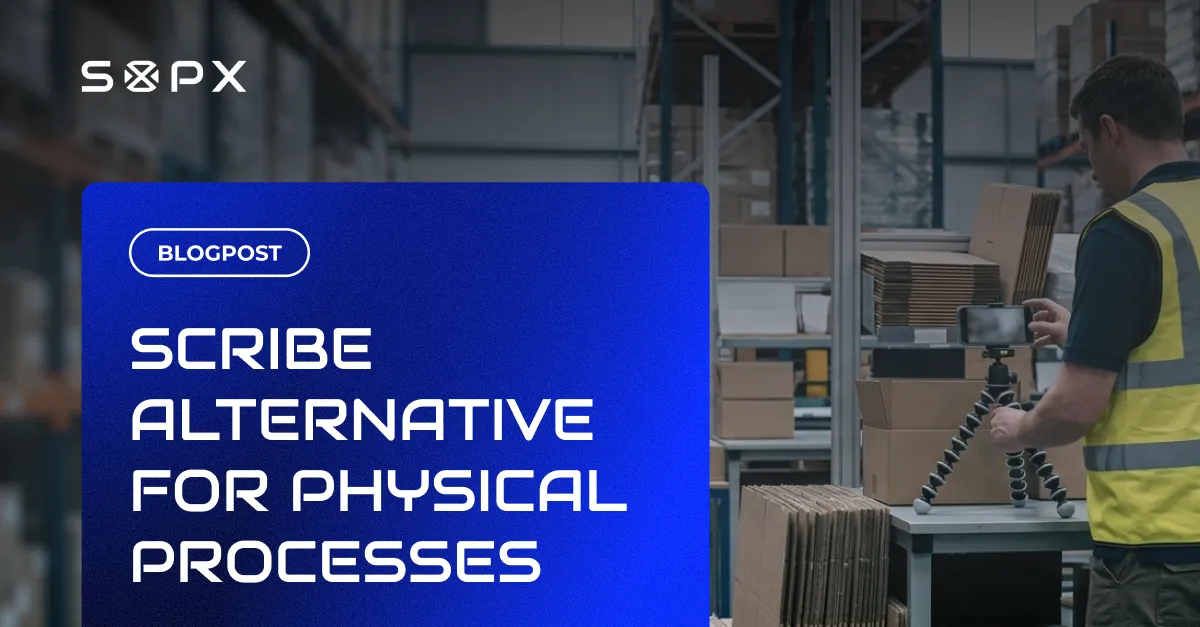
Scribe captures software workflows in the browser. It cannot document a CNC setup, food-line changeover, or forklift inspection. How the two categories of SOP tools differ and when to use which.
TL;DR
For software workflows inside a browser, Scribe fits. For physical, off-screen work like machine setups or food-line changeovers, a video-to-SOP tool fits. Teams documenting physical, real-world processes use SOPX, which turns a phone or screen recording into a structured SOP in under 10 minutes.
- Scribe is a screen-capture tool. It records browser clicks and keystrokes, is English-only, and cannot document work that happens off a computer screen.
- SOPX captures physical, real-world processes from a phone, GoPro, or screen recording and produces a structured SOP with a trimmed video clip on each step.
- SOPX is the fit for manufacturing, warehouse, lab, field, and healthcare teams documenting off-screen work, and it also handles software workflows from a screen recording.
- SOPX translates SOPs into 50+ languages and can import a PDF and convert it into a structured digital SOP; Scribe offers neither.
- Use Scribe for English-only, browser-based software docs; use SOPX for physical processes, multilingual workforces, or a mix of software and real-world work.
The two categories of SOP tools
SOP tools fall into two camps. Both produce step-by-step guides, but they solve different problems, and teams often mix them up.
Screen-capture SOP tools watch your computer. A browser extension or desktop app records clicks, keystrokes, and screenshots, then assembles the capture into an annotated guide. Scribe and Tango are the best-known examples. These tools are fast, inexpensive, and effective for documenting software.
Physical-process SOP tools watch real work. An operator records a task on video (phone, GoPro, tripod, or mounted camera), uploads the file, and AI turns the recording into a structured SOP with trimmed video clips, step titles, and descriptions. SOPX is built for this category. DeepHow is another example, targeted at larger enterprises.
Scribe documents what happens on a computer screen. Video-to-SOP tools document what happens everywhere else.
What Scribe does well
Scribe’s browser extension is good at its job. For workflows that live inside a SaaS app, a CRM, an internal admin panel, or a ticketing system, Scribe produces clean documentation in seconds.
Scribe is a fit when:
- The process runs entirely inside a browser or desktop application
- You want screenshot-based guides annotated with text
- Your readers speak English and the audience is internal software users
- You need documentation fast and the process does not change often
Scribe stops being a fit the moment the work leaves the screen.
Where Scribe stops
Scribe cannot capture work that happens off a computer screen. A browser extension has nothing to watch when the task is physical.
Processes Scribe cannot document include:
- A machine operator setting up an injection molding run
- A maintenance technician replacing a bearing
- A warehouse picker following a pick-pack-ship routine
- A lab technician preparing a sample
- A food production line changing over between batches
- A field engineer servicing equipment on site
- A nurse running a clinical protocol
For these tasks, teams usually fall back to a Word document with photos pasted in, which is the exact problem SOP software was supposed to solve.
Short video clips beat static screenshots
Scribe’s second limitation is less obvious than the screen-versus-floor split, but it matters on the shop floor. Scribe produces screenshots. Video-to-SOP tools produce short video clips inside each step.
A screenshot shows a frozen moment. It works well for a software click (“press Save”). It works poorly for a physical action. A torque direction, a hand position, or the correct speed to feed a part into a machine is hard to communicate with a still image. Operators guess, and guesses produce inconsistency.
A short step-level video clip removes the guesswork. The operator sees the exact motion, the tool angle, the machine response, and the timing. Text describes the step. The clip shows the step. Together they leave no room for interpretation.
Video-rich SOPs outperform screenshot guides in training and execution for physical work. Research cited by Canvas GFX shows that workers using interactive digital work instructions made 60% fewer errors on their first attempt compared to paper-based instructions. The gap held even after repeated exposure to the task.
In SOPX, every step carries a trimmed clip from the original recording. The operator scrubs through a ten-second video, not a static frame.
In Scribe, there’s no equivalent. The step is a screenshot with an optional text annotation.
Scribe vs a physical-process SOP tool: side by side
The table below uses SOPX as the physical-process example. Other video-to-SOP tools (DeepHow, Knowby) follow a similar pattern but target different team sizes and use cases.
| Dimension | Scribe | SOPX |
|---|---|---|
| What it records | Browser and desktop screen activity | Any video: phone, GoPro, drone, screen recording |
| Primary input | Live click-and-keystroke capture | Upload an existing or new video file |
| Primary output | Screenshot-based guide with annotations | Structured SOP with trimmed video clips, text, images |
| Per-step visuals | Static screenshot | Short video clip per step, plus images and carousels |
| Physical processes | Not supported | Core use case |
| Software workflows | Core use case | Supported (screen recordings work the same way) |
| PDF import | Not available | Upload a PDF; AI extracts steps, text, and images |
| Languages | English only | Translates into 50+ languages |
| Version history | Edits apply immediately to live guides | Full version history, restore any previous version |
| Step-level edits | Edit text and screenshot within a guide | Replace any step with a new video, image, or carousel |
| Sharing | Public link; viewer account sometimes required | Public link or QR code, no viewer account required |
| Starting price | Free plan available; Pro Team requires 5 seats | 14-day free trial, 5 AI-generated SOPs |
For the full feature-by-feature breakdown, see the SOPX vs Scribe comparison.
The decision rule
Two questions decide which category you need.
- Does the work happen on a computer screen, off it, or both?
- Do you need the SOP in more than one language?
If the work is screen-only and English is enough, Scribe is the most popular choice. Install the extension, record the workflow, share the link.
If the work is off-screen (factory floor, warehouse, lab, vehicle, job site), Scribe can’t help. You need a video-to-SOP tool.
If both, you can run two tools in parallel or pick one that covers both. SOPX handles screen recordings alongside physical process videos, which is why teams with mixed needs tend to consolidate instead of stacking two subscriptions.
Running Scribe and a video-to-SOP tool side by side
Some teams run Scribe and a physical-process SOP tool together. It works, but it costs you three things.
- Two admin surfaces. Two user lists, two permission models, two billing relationships.
- Two places readers look. If an operator needs an SOP, they have to remember which system holds it.
- Two formats. One library reads as screenshot guides, the other as structured video-rich SOPs. Readers see an inconsistent experience.
Running both makes sense when the software-workflow team and the operations team are separate organizations with different readers. In a single plant or warehouse, consolidating onto one tool usually wins, even if it means paying slightly more for a video-capable platform.
A quick example from a contract manufacturer
A contract manufacturer with 140 employees documents three kinds of work.
- ERP order-entry workflows done by office staff
- CNC machine setups done by operators on the floor
- Final quality inspections done with handheld gauges
Scribe handles step 1. Scribe cannot touch step 2 or step 3. If the team picks Scribe as their only tool, two-thirds of the SOPs they need never get written.
If the team picks a video-to-SOP tool, all three can be documented from the same platform. The office team records the ERP workflow as a screen capture. The operator records the CNC setup as a phone video. The inspector records the quality check as a tripod video. All three land in the same library, in the same format, under the same version history.
Most manufacturing and operations teams end up on physical-process tools. One subscription covers more ground.
Frequently Asked Questions
Is there a version of Scribe for physical processes?
No. Scribe is a browser and desktop screen recorder.
There’s no version, module, or add-on that captures work happening off a computer screen. For physical processes, teams use video-to-SOP tools like SOPX.
Can I use Scribe on a phone to record a factory process?
No. Scribe’s capture tools run on desktop operating systems and record screen activity. Scribe doesn’t record external video from a phone camera.
You can share a finished Scribe guide on a phone, but you can’t capture a physical process with it.
What is the closest equivalent to Scribe for manufacturing?
There’s no direct equivalent. The input is different. It is video instead of screen captures.
The closest category is video-to-SOP software, which uses AI to turn a process video into a structured SOP. See our overview of what video-to-SOP software is.
Does Scribe offer video clips for each step?
No. Scribe produces screenshot-based guides. Each step is a static image with optional text annotation.
Video-to-SOP tools like SOPX attach a short video clip to each step, trimmed from the original recording. That’s more effective for training operators on physical tasks.
Does SOPX do everything Scribe does?
SOPX covers the same use case (software workflow documentation) with a different input model. Instead of a browser extension watching live clicks, the user records the screen with the built-in screen recorder while narrating, or uploads an existing recording. The AI produces the same kind of step-by-step output.
Teams who need only software docs and want the lightest tool often prefer Scribe’s extension. Teams who document both software and physical work usually prefer the SOPX single-platform model.
Can I import Scribe guides into SOPX?
Not directly yet. If the content lives as a PDF export, SOPX can import that PDF and convert it into a structured digital SOP.
To move a large library, export the Scribe guides to PDF first, then batch-import them.
We’re also building a direct import for public Scribe guides. If you need it, contact us at [email protected].
Is Scribe cheaper than SOPX?
Scribe’s free plan is free. Scribe’s paid Pro Team plan requires a minimum of 5 seats.
SOPX uses per-user pricing with no minimum seat requirement, plus a free trial that includes 5 AI-generated SOPs.
The cost comparison depends on seat count and whether you need features Scribe doesn’t offer (multilingual support, PDF import, physical-process capture). For English-only software documentation, Scribe’s free plan is the cheaper option.
On paid tiers, Scribe’s Pro Team ($13 per user per month, annual billing) and Personal ($25 per user per month, annual billing) plans are more expensive than the SOPX Pro plan ($9 per user per month, annual billing).
We already have SOPs written in Word and PDF. Can either tool import them?
Scribe has no document import capability.
SOPX can import PDFs and convert them into structured, editable SOPs with extracted text, images, and translations. For Word documents, export to PDF first.
PDF import is usually the fastest way to consolidate legacy documentation into a single platform without rewriting from scratch.
Is SOPX a Scribe alternative for SOPs and an SOP library?
Yes. Teams searching for a Scribe alternative for SOPs usually want more than one-off screenshot guides. They want a central SOP library that documents internal processes across both software and physical work. Scribe for SOPs works when every process lives in a browser and English is enough. SOPX documents screen and off-screen work, stores every procedure in one searchable library with version history, and shares by link or QR code. For documenting internal processes and building a real SOP library, SOPX is the broader Scribe alternative.
Is SOPX a good Scribe alternative?
Yes, if the goal is documenting physical processes, supporting a multilingual workforce, or a mix of software and real-world work.
For the narrowest possible tool for English-only browser workflows, Scribe’s free plan is hard to beat on price.
Try SOPX free to see whether it fits your process mix.