How to Convert Existing PDF Documents into Digital SOPs

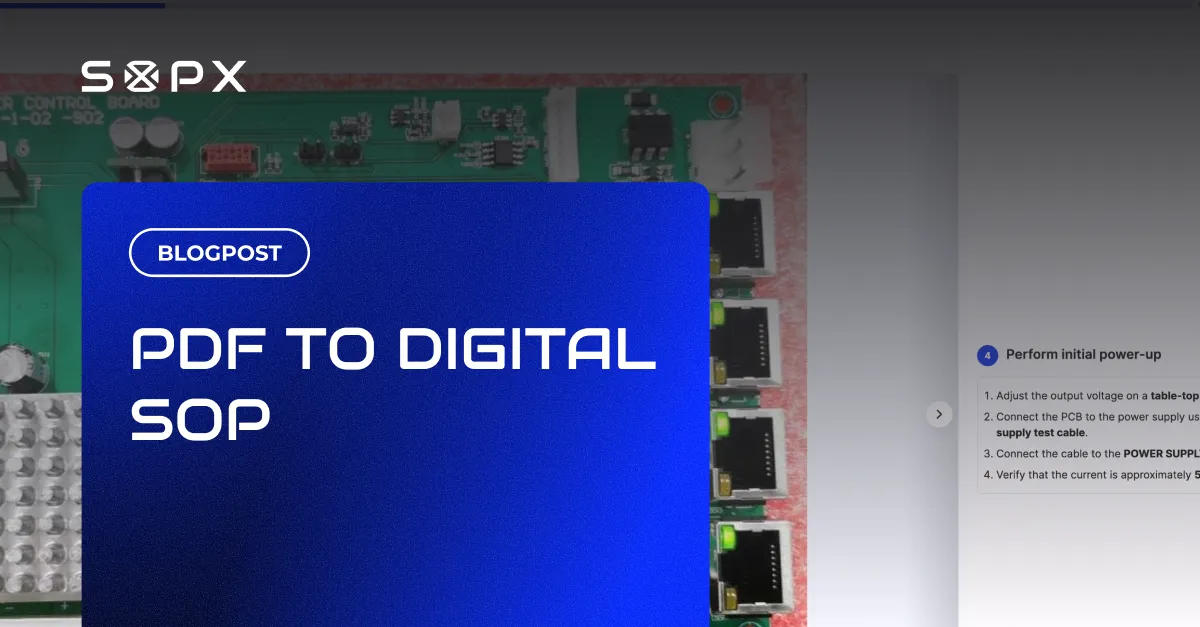
Import PDF documents into SOPX and convert them into structured, shareable, translatable digital SOPs - no rewriting from scratch.
TL;DR
SOPX converts existing PDF documents into structured digital SOPs without rewriting them from scratch. You upload a PDF, and AI extracts the text, pulls out images, translates the content, and maps everything into editable step-by-step SOPs. The process takes minutes per document instead of the hours manual recreation would require.
- A typical manufacturing SMB has 50 to 200 documented procedures, and rewriting each by hand takes 30 minutes to 2 hours, or 25 to 400 total hours.
- SOPX PDF import extracts text, pulls out images, translates into 50+ languages, and maps content into structured SOP steps automatically.
- Imported SOPs are fully editable, version-controlled, exportable back to PDF or Word, and shareable via QR code or public link with no viewer account needed.
- Scanned or photographed paper procedures work as PDF input; laying pages flat with even lighting improves extraction accuracy.
- SOPX is self-serve with no demo or sales call required, unlike Dozuki and DeepHow, while Scribe does not support document import at all.
The Problem: Documentation Exists, but Nobody Can Use It
Most operations teams we talk to do not start from zero. They have procedures. The issue is where those procedures live:
- PDF files on SharePoint, Google Drive, or a shared network folder
- Word documents attached to old emails nobody can find
- Printed binders in a drawer or on a shelf above the machine
- Exported PowerPoints sitting in a training folder
These documents are technically documentation. But they fail in practice because:
- They cannot be updated easily. Editing a PDF means re-exporting from the source file (if you can find it). Most teams skip the update entirely.
- They cannot be translated with one click. Multilingual teams either maintain separate documents per language (nobody does this consistently) or workers get instructions they cannot read.
- They cannot be version-controlled. Which version is current? The one on the shared drive, the one the supervisor emailed last month, or the one printed and taped to the workstation?
- They cannot be shared instantly. No QR code access, no public links, no way for a contractor or temp worker to pull up the procedure on their phone.
The result is that companies have documentation that technically exists but functionally does not work.
Why Rewriting from Scratch Is Not the Answer
The obvious solution (rewrite everything in a modern SOP tool) fails for a practical reason. It takes time.
A typical manufacturing SMB has 50 to 200 documented procedures.
Rewriting each one from scratch takes 30 minutes to 2 hours depending on complexity. That is 25 to 400 hours of work, assuming someone has the capacity to do it, which they usually do not.
Documentation and SOP coordinators carry this migration on their own desk, and rewriting a legacy PDF library by hand is what keeps them stuck. With PDF import, a coordinator uploads each existing PDF and AI parses it into structured steps, descriptions, and extracted images, so the library moves over without anyone retyping a procedure from scratch. See how SOPX fits the work of documentation and SOP coordinators who own the SOP library and need to keep it current.
This is why digitalization projects stall.
The gap between “we should move to a digital SOP system” and “we have actually migrated our procedures” is measured in months or quarters. Most teams never finish.
The Solution: Import, Do Not Rewrite
SOPX document import takes a different approach. Start with what you already have.
How it works
- Upload your PDF document. Drag and drop or select the file. SOPX accepts PDF documents of any length. If you have Word documents, export them as PDF first.
- AI processes the document. Text is extracted, images are pulled out, content is translated into your target language, and everything is mapped to structured SOP steps.
- Review, edit, and publish. You get a fully editable digital SOP. Refine wording, add video clips if you have them, adjust step order, and publish. Share via QR code or public link.
The entire process takes minutes per document, not hours.
What AI does during import
- Text extraction: Reads the document and identifies procedural content
- Translation: Translates text into your selected target language (50+ languages supported)
- Image extraction: Pulls images from the document and appends them to relevant steps
- Step mapping: Organizes content into a structured, step-by-step SOP format
What you get after import
The imported SOP is identical to any other SOP in your SOPX workspace:
- Fully editable with rich text per step
- Translatable into 50+ languages with side-by-side review
- Version-controlled with full history
- Shareable via QR code or public link (no viewer account needed)
- Exportable back to PDF or Word if needed
- Organized into workspaces by your department or other use cases
When to Use PDF Import vs Video-to-SOP vs Manual Creation
SOPX now supports three input paths. Here is when each makes sense:
| Method | Best for |
|---|---|
| Video-to-SOP | Physical processes you can film: machine setups, assembly, warehouse operations, IT procedures |
| PDF import | Existing documentation you want to digitize: legacy SOPs, compliance docs, training manuals already written. Export Word docs as PDF first. |
| Manual creation | New procedures where no source material exists, or combining elements from multiple sources. Easier than Word. |
Many teams use all three. Import your existing PDFs to get started quickly, record video for new or visual processes, and create manually when neither applies.
How to Convert Paper SOPs to Digital
Paper procedures (printed binders, taped-up sheets at the workstation, photocopied manuals) are the hardest legacy format to keep current, because there is no source file to edit. The path to digital is short:
- Find existing digital PDF or scan or photograph the paper SOP. Best way is using original digital PDF file. Otherwise use a phone scanner app or office scanner produces a PDF. Multiple pages can go into one file.
- Upload the PDF to SOPX. AI extracts the text, pulls any diagrams or photos (if the PDF is not scanned), and maps the content into structured steps.
- Review and publish. Fix any wording the scan misread, add a video clip where a photo is not enough, then share via QR code or link.
Once a paper SOP is digital, it stops drifting out of date. You edit one step and every worker sees the current version, in their own language, on their phone. For the clearest scans, lay pages flat with even lighting so the text is sharp.
What About Competitors?
Most SOP tools require you to recreate documentation from scratch in their editor. A few support document import:
- Dozuki (CreatorPro AI) converts legacy documents including PDF, Word, Excel, and PowerPoint, but it is an enterprise platform requiring a demo, scoping, and implementation engagement before you publish anything.
- DeepHow supports document-based content creation as part of enterprise onboarding workflows.
- Scribe does not support document import at all. It captures live screen recordings only.
SOPX is the self-serve option. Upload a PDF, get a structured SOP in minutes, with no sales call or enterprise contract required.
Getting Started
If you have existing PDF procedures (or Word docs you can export as PDF), you can start migrating them today:
- Sign up for a free trial - no credit card required
- Upload your most critical PDF document
- Review the AI-generated SOP, make any adjustments
- Publish and share via QR code or link
Most teams start with their 10 to 20 most important procedures and expand from there. At a few minutes per document, you can migrate your critical SOPs in a single afternoon.
Frequently Asked Questions
How do I convert paper SOPs to digital?
Scan or photograph the paper SOP into a PDF, then upload it to a tool like SOPX. The AI extracts the text and images and maps them into structured digital steps you can edit, translate, version, and share by QR code or link. There is no need to retype the procedure. The only manual step is reviewing the result for anything the scan misread.
Can I import a scanned document, not just a born-digital PDF?
Yes. A clear scan or phone photo of a printed procedure works as the PDF input. Lay the pages flat with even lighting so the text is sharp, which improves how accurately the AI extracts each step.
What happens to images and diagrams in the original document?
Image extraction pulls diagrams and photos out of the PDF and appends them to the relevant steps, so the visual context from the original is preserved in the digital SOP rather than lost in a text-only conversion.
Do I need to rewrite the SOP after importing it?
No. Import gives you a structured, editable SOP, not a rewrite project. You review the AI output, correct any wording, and optionally add a video clip where a static image is not enough, then publish.