Comparisons ·
Best Work Instruction Software for Manufacturing in 2026
Eight work instruction tools compared for small and mid-sized manufacturers. Most hide pricing behind a demo. Here is who each one fits.

Updated
Table of contents
TL;DR
The best work instruction software for manufacturing depends on how much time you can put into it. Most tools assume a rollout project and a team of engineers who builds each instruction by hand. If the people who know the job have little time to document it, and you want usable instructions on the floor soon, SOPX is the strongest fit: film the job on a phone, and AI drafts a visual work instruction in under 10 minutes.
- When time is the constraint: SOPX. Recording replaces writing. An experienced operator films the task once, AI drafts the steps, and a reviewed instruction can be on the floor the same day. You start with a free trial, with no demo and no setup project.
- When a hard requirement decides it: one of the other seven. VKS for regulated assembly tied to an MES. Dozuki for ITAR, FDA or audit requirements. Poka for a multi-site frontline program. Operations1 for SAP, ERP or MES integration. Azumuta for connected tools and a skills matrix. Tulip for custom frontline apps. Augmentir for instructions that adapt to each operator.
- Compare tools on time to a production-ready instruction. How long is your expert away from the job, and how soon can an operator follow the result? Writing one instruction by hand takes an engineer about half a day.
- Six of the eight tools have no published starting price. Custom pricing is normal for large rollouts, and SOPX quotes its Enterprise plan the same way. The gap is at the small end, where most tools have no self-serve tier. SOPX publishes its self-serve price, and a small team can start the same day.
- SOPX has limits. It has no skills matrix, no MES or ERP integration out of the box, and no CAD-based exploded views.
This is a pick-a-tool page. It assumes you already know you need work instruction software and want to see how the named options compare. If you are earlier than that, read what work instruction software is and what it has to do first, then come back here to choose between products.
Full disclosure up front. I am Jure, cofounder and CTO of SOPX, one of the eight tools below. So yes, the tool ranked first is the one I helped build. Shocking, I know. I have written this so that if your situation matches a different winner, you pick that one instead. Every entry includes what the tool is not good for, including ours. For each tool I also add a short AI assessment, from my seat as head of AI here.
What work instruction software actually does
Work instruction software creates, publishes and revises the step-by-step instructions that tell one operator how to perform one task at one station. The output is built to be followed during the work rather than filed: visual steps, one action each, revision control, and delivery to the point of use by screen, tablet or QR code.
| Category | What it holds | Starts from | Used |
|---|---|---|---|
| Work instruction software | Step-by-step visual instructions for one task at one station | Video, photos or CAD of the job | During the work, at the machine |
| Document management (SharePoint, shared drives) | Files and their versions | Word and PDF documents | When someone goes looking for a file |
| Screen-capture SOP tools (Scribe, Tango) | Click-by-click software guides | Browser and desktop clicks | At a computer, for software tasks |
| Learning management systems | Courses, quizzes and completion records | Training content built by a trainer | Before the work, in training |
| MES and connected worker platforms | Work orders, production data and operator apps | Production systems and custom apps | During the work, as part of a larger rollout |
Two things separate work instruction software from the rest. The first is when it is used. A work instruction is finished when the person at the machine can open the current revision, in a language they read, in the time they have between cycles. The second is what it can capture. Screen recorders build from clicks, which cannot describe a changeover or a machine setup. Physical work has to start from video of a person doing the job, from photographs, or from a CAD model.
One more split helps when you shortlist. Many of these tools were shaped by product assembly, with variants, parts lists and connected tools. A lot of plant work looks different: a changeover, a weld, a press setup, a CNC job, a cleaning routine. There the method is in how a person moves, and video of the job captures it better than photos and typed steps.
Replacing paper with digital visual work instructions
This is the part most buyer’s guides skip, and it changes the shortlist.
In almost every plant I have talked to, the thing being replaced is not another platform. It is paper, Word, and a PowerPoint template with the company logo on it.
Five patterns repeat, and each one should shape what you look for:
The content is fine. The authoring tool is dying. Instructions built in Microsoft Publisher or an old Word version are trapped in software that is going away. Look hard at document import, because retyping a backlog of hundreds of instructions is the reason this project stalls.
Writing one takes an engineer half a day (at least). Someone walks to the line, photographs the task, watches it, types what they saw, then pastes the photos in. A VP of operations at an aerospace supplier called this the bottleneck in plain terms: everything is manual, and an engineer has to capture the process in their own words before anyone can read it. Whatever you buy, measure it on time from filming to published. Feature count is a distraction here.
Revisions are the real cost. Printing is cheap. Changing one step across every affected station, and missing one, is expensive. Version control and single-source publishing matter more here than they do in an office documentation tool.
Manufacturing teams are multilingual. An instruction a worker cannot read is the same as no instruction, and translation is usually a separate project that falls behind after the first revision. Check that translation is included, and that a supervisor can correct a technical term in their own language. Be careful with one-click translation you cannot edit. One of our customers found it had made up words in their language.
The method lives in one person’s head. The operator who gets the changeover right every time is often close to retirement, and none of it is written down. Capture that tribal knowledge while the person is still on the floor, in a way that takes minutes of their time.
Quick ranking
- SOPX. Best for small and mid-sized plants that need instructions this week. Video in, structured visual instruction out, no sales call.
- VKS. Best for regulated, high-mix assembly that needs MES integration and deep traceability.
- Poka. Best for large multi-site plants already running a frontline improvement program.
- Dozuki. Best for regulated manufacturers with ITAR, FDA or audit requirements.
- Azumuta. Best for plants that want instructions connected to tools, quality checks and a skills matrix.
- Tulip. Best when work instructions are one app inside a wider frontline platform.
- Operations1. Best for work instructions integrated with SAP, ERP and MES.
- Augmentir. Best for AI that adapts each instruction to the individual operator’s skill level.
Work instruction software comparison table
| Tool | AI builds from | Languages | Self-serve | Published price |
|---|---|---|---|---|
| SOPX | Phone video + PDF | 50+ | Yes | Yes |
| VKS | Existing documents only | 30+ | No, demo | No |
| Poka | Documents + video | Yes | No, demo | No |
| Dozuki | Video + documents | Yes | No, demo | No |
| Azumuta | Documents, video (early) | Yes | No, demo | No |
| Tulip | Limited, you build the app | Yes | No, demo | Partial |
| Operations1 | Office and PDF files | Yes | No, demo | No |
| Augmentir | Execution data, skill levels | Yes | No, demo | No |
Every tool here can document physical work. The first column is the one that separates them: “AI builds from” is the input the AI turns into a draft instruction. Where it says documents only, a person still writes the steps for anything that has never been written down.
One more column needs a note. “Published price” means a rate you can find on the vendor’s own site without talking to sales. Pricing checked in October 2026. Enterprise platforms in this category quote custom pricing only, and several attach an implementation fee and a seat minimum to the first year.
How I ranked these tools
I could not get hands-on with any of the other seven tools. None of them let me sign up and try the product on my own, and as a competitor I was not going to get past the qualification call. That is itself a finding about this category.
So the picture for those seven comes from their own product pages and documentation, the demo and walkthrough videos they have published, reviews on G2 and Capterra, and forum threads where engineers and plant managers describe what a rollout looked like. Where I could not verify something, I left it out. If you work at one of these companies and I have something wrong, email me and I will correct it.
SOPX is the one tool here you can judge the other way round. You sign up yourself, with no credit card, and try it on a real task before you ever talk to our team.
SOPX is our product. I weighted this list for small and mid-sized plants, so the order shows how well each tool fits a plant that needs instructions soon and has no one free to run a rollout.
I ranked on six criteria. The first four are columns in the table above:
- AI builds from. What the tool can turn into a draft instruction: phone video, a PDF, or existing documents only.
- Languages. How many languages an operator can read the instruction in.
- Self-serve. Can you sign up and try the product without a sales call? Yes or no.
- Published price. A rate you can find on the vendor’s own site without talking to sales.
- Time to the station. From filming to an instruction an operator can open at the station. For the seven tools I could not try, this is the vendor’s own figure. Each entry covers this one.
- Revision and approval control. Who can change an instruction, who signs it off, and whether old versions stay on record. Each entry covers this one.
No tool wins on all six. Each winner below wins the situation it was built for.
1. SOPX: Best for small and mid-sized plants that need instructions this week
SOPX is the best work instruction software for small and mid-sized manufacturers because it turns a phone recording of the real job into a structured visual instruction in under 10 minutes, with no sales call in front of it. Film the changeover, upload it, and AI returns a step-by-step instruction with a trimmed video clip, a title and a written description on every step. Edit what you want, publish, and put a QR code at the station.
What it’s good for:
- Process work as well as assembly: changeovers, machine setups, welding, CNC, cleaning and inspection
- Plants with a backlog of instructions nobody has time to write
- Capturing how an experienced operator actually does the job before they retire
- Mixed-language floors and foreign workers, with AI translation into 50+ languages and side-by-side review
- High-turnover lines, where a new hire follows short video steps instead of shadowing for two weeks
- A new facility or a new line, where instructions are needed in weeks and nobody has time to write them
- Existing PDF instructions, imported and parsed into structured digital steps with images extracted
- Putting the current revision at the station with a QR code
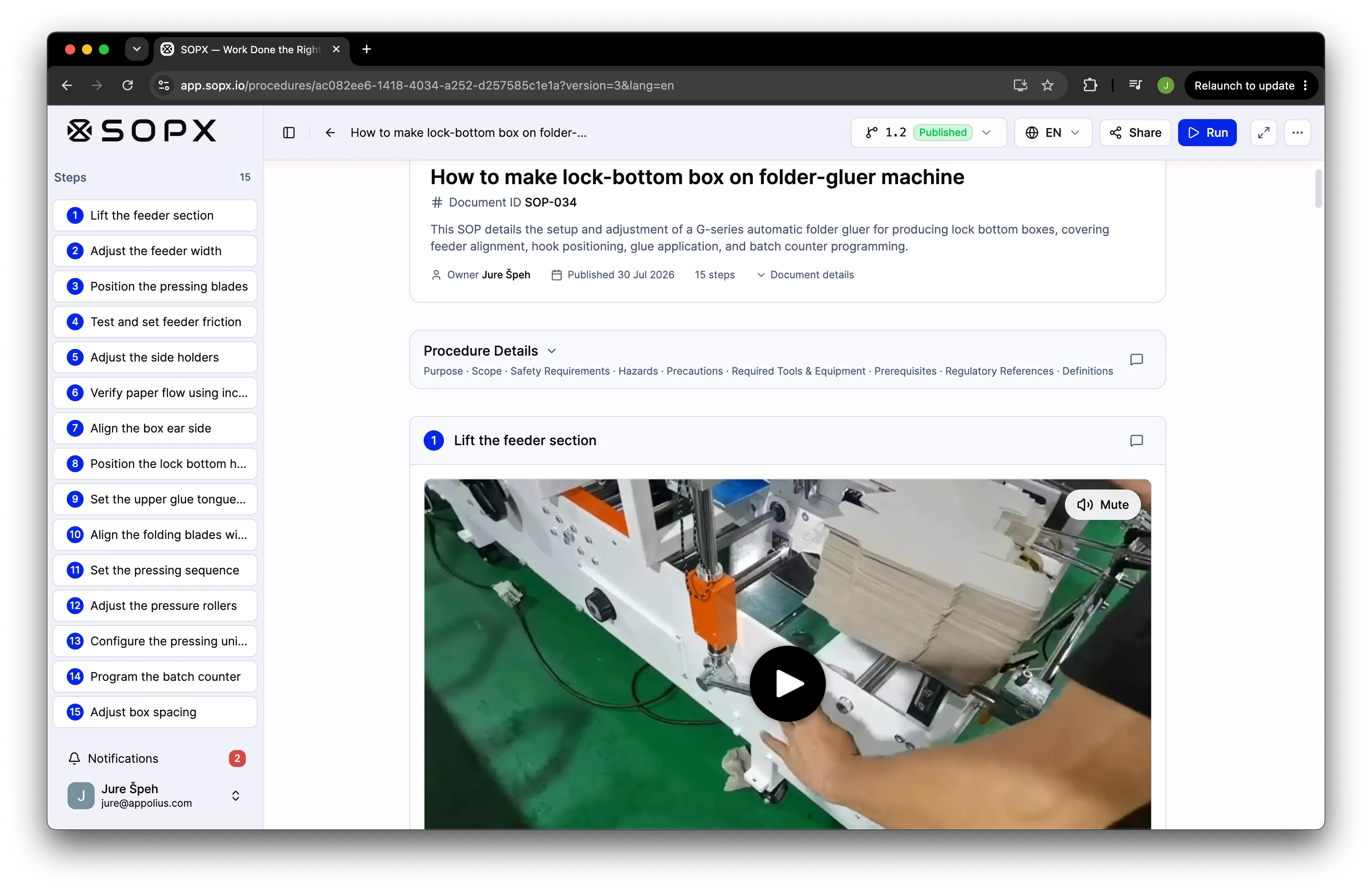
A machine setup instruction generated from a phone recording. Every step carries its own trimmed video clip, and the header holds the document ID, version, and the safety and scope fields an auditor asks for.
AI assessment:
- AI analyzes the video and its narration, splits it into steps, crops a clip for each one, and picks thumbnails.
- It extracts text and images from existing PDFs and maps the images to the right steps.
- It adds ISO 7010 safety icons to the steps that need them and lists them in the procedure details.
- Translation uses an understanding of the topic to translate meaning, with a side-by-side editor to correct a technical term.
- The draft still needs a human review. That is true everywhere AI is involved.
What it’s not good for:
- Skills matrix programs that track operator competency levels over time
- Individuals who just need a video-to-PDF converter
- Plants that need work instructions driven live by an MES or ERP out of the box
- CAD-based exploded views and 3D assembly animation
- Enterprise procurement that requires a decade of Fortune 500 case studies
Honest trade-off: SOPX is younger than VKS, Dozuki and Poka, and the integration surface is narrower. MES and ERP connections are scoped as an Enterprise add-on rather than shipped as standard connectors. If your instructions have to be triggered by a live work order, one of the enterprise platforms will get there with less custom work. If your problem is that 300 instructions are unwritten and a few engineers are supposed to write them, that is the problem SOPX was built for.
Who it’s best for: Operations, plant and training managers at small and mid-sized manufacturers, food producers, warehouses and field service teams. That covers a 20-person shop, and it covers a larger group that starts on one line and adds plants later. Especially where the honest answer to “where are your work instructions” is paper, a shared drive, or somebody’s head.
How much SOPX costs? Free for 14 days with no credit card. Standard and Premium are priced per plan with creators included, and viewers are included on every plan. Prices are on the pricing page. Enterprise is a custom quote for multiple sites.
2. VKS: Best for regulated, high-mix assembly that needs MES integration
VKS is the strongest pick for regulated, high-mix assembly because it treats the work instruction as a production record as well as a set of steps. It is a no-code authoring environment with step-by-step visual guidance, version control and traceability built for manufacturers who have to prove what was built and how.
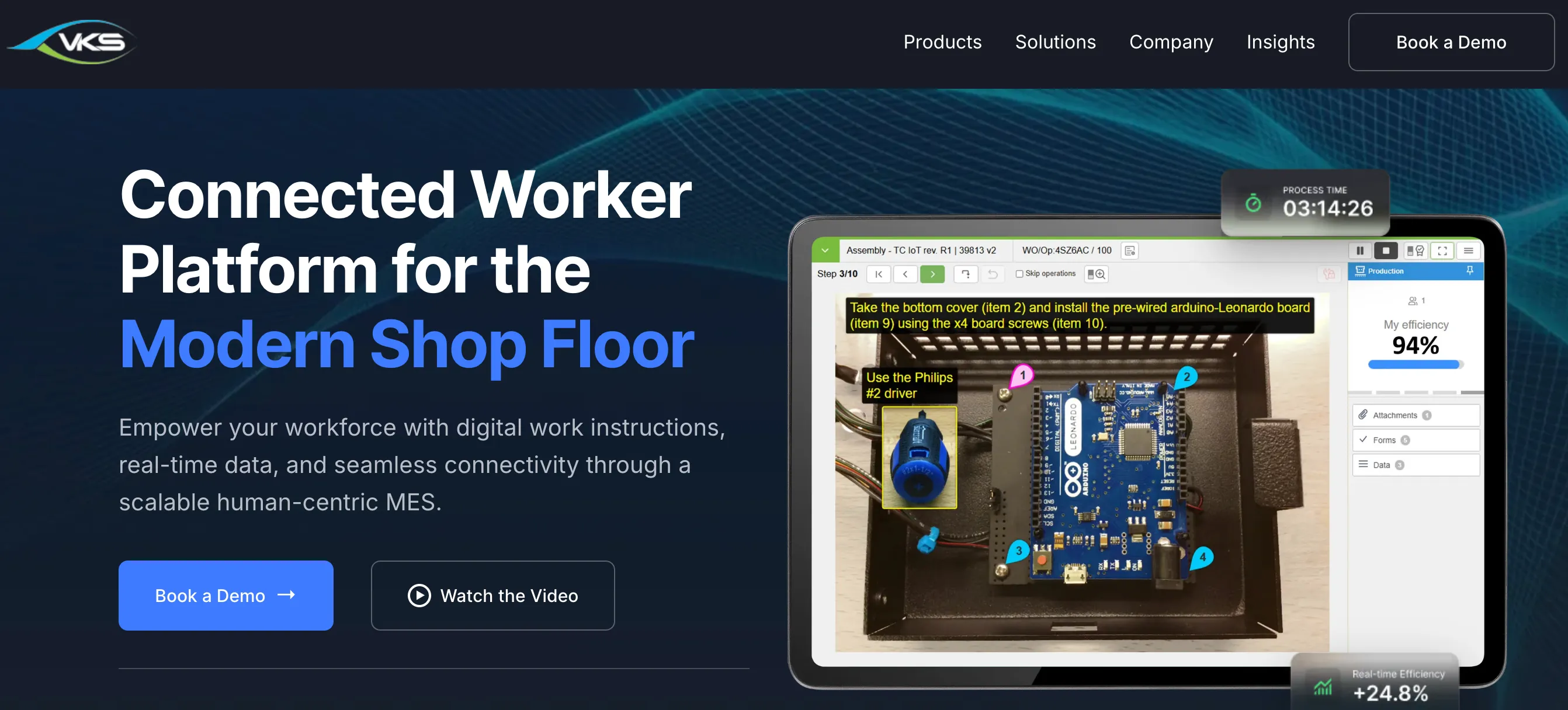
The VKS homepage, October 2026. The tablet shows what VKS is built around: an assembly step with numbered callouts, a work order number in the header and a process timer running.
What it’s good for:
- High-mix, low-volume assembly with many part numbers and frequent revisions
- Regulated environments that need traceability from the instruction to the unit built
- Data capture at the step, tied back into production systems
- Manufacturers who already run an MES and want instructions connected to it
What it’s not good for:
- Teams without an implementation budget or a project owner
- Teams that need to capture years of tribal knowledge fast with AI
- Anyone hoping to publish a first instruction this week
- Small plants where the license and rollout cost outweighs the traceability benefit
AI assessment:
- AI helps with migration: it bulk converts existing Word, PDF and Excel instructions, with a validation step before release.
- I found no feature that turns a video of the job into steps. New instructions are built by hand in the editor.
Honest trade-off: VKS is deeper than SOPX on traceability and production integration, and that depth is real. The cost is that you are buying a project rather than a subscription. Authoring is manual, so it does not remove the “an engineer has to sit and write it” bottleneck the way AI video capture does.
How much VKS costs? No public rate at time of writing. Pricing starts with a demo.
Read the full SOPX vs VKS comparison →
3. Poka (IFS): Best for large multi-site plants running a frontline program
Poka is the strongest pick for large multi-site manufacturers who are already running a frontline improvement program, because work instructions there are one part of a wider training, skills and problem-solving platform. Now part of IFS, it is video-first by design and it converts existing documents and video into visual instructions with AI.
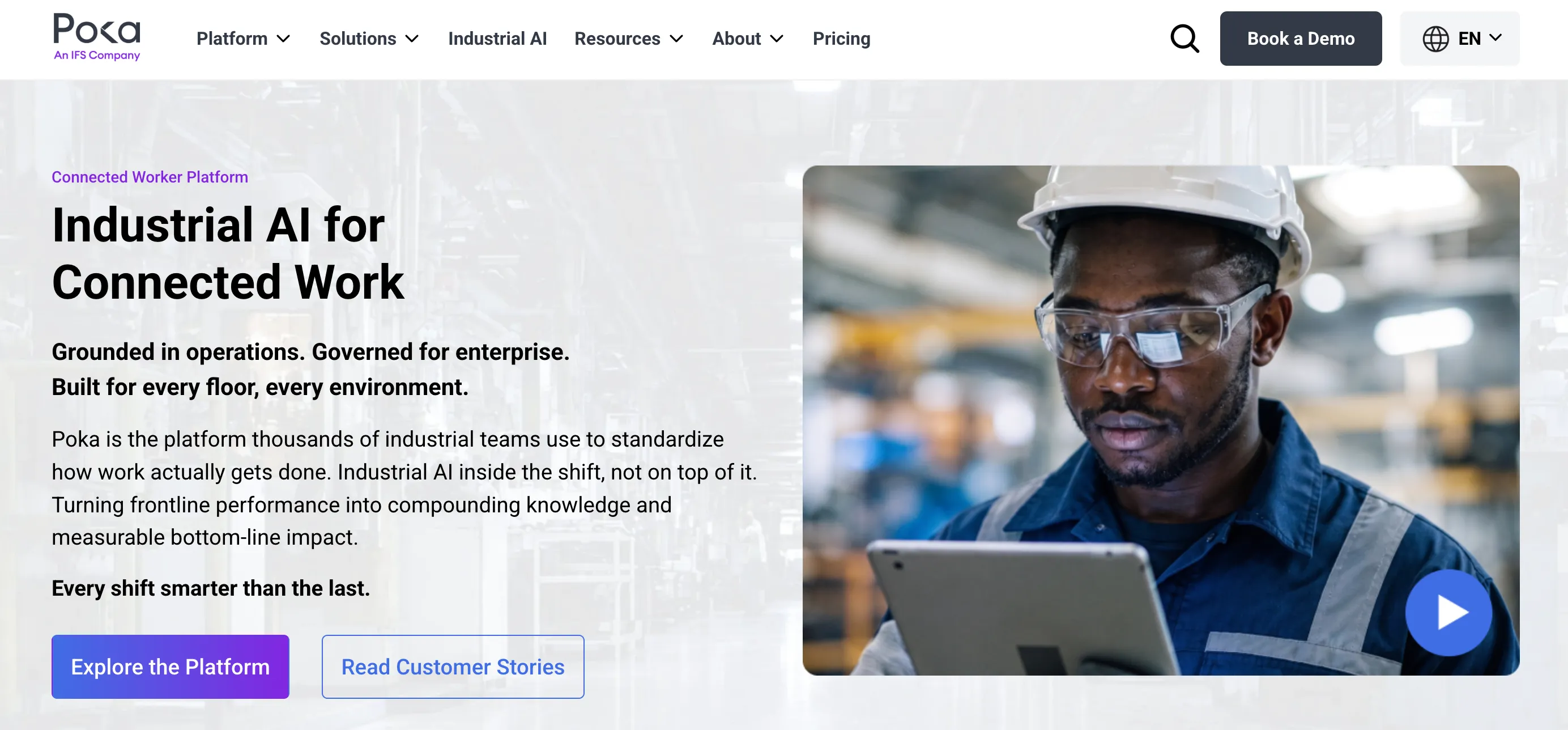
The Poka homepage, October 2026. Note the line “Governed for enterprise”. Work instructions are one part of a platform sold as a program.
What it’s good for:
- Multi-site consumer goods and food manufacturers standardizing across plants
- Organizations that want instructions, training and skills tracking in one system
- Video-first cultures where operators are expected to record and share
- Audit-ready data captured from execution
What it’s not good for:
- Single-site plants under a couple of hundred people
- Teams that need something running before the next quarter
- Buyers who need a price before they can get internal approval
AI assessment:
- Its public pages describe AI that converts existing documents and video into visual instructions. That puts it in the same group as SOPX on capture.
- I cannot tell you how much editing the draft needs afterwards. Ask to see it run on one of your own videos.
Honest trade-off: Poka overlaps with SOPX on the thing we consider our core strength, which is AI turning video into a visual instruction. It is a genuinely capable product. The difference is scale of commitment. Poka is bought as a program with a rollout behind it. SOPX is bought with a credit card, or a free trial and no card at all.
How much Poka costs? No public rate at time of writing. Pricing starts with a demo.
4. Dozuki: Best for regulated manufacturers with ITAR, FDA or audit requirements
Dozuki is the strongest pick for regulated manufacturers because its compliance coverage is the deepest on this list. Its security page lists SOC 2 Type II and ISO 27001, validation for FDA 21 CFR Part 11, and an option that meets ITAR needs. Around that sit authenticated electronic signatures, a full document and training history, and multi-step approvals.
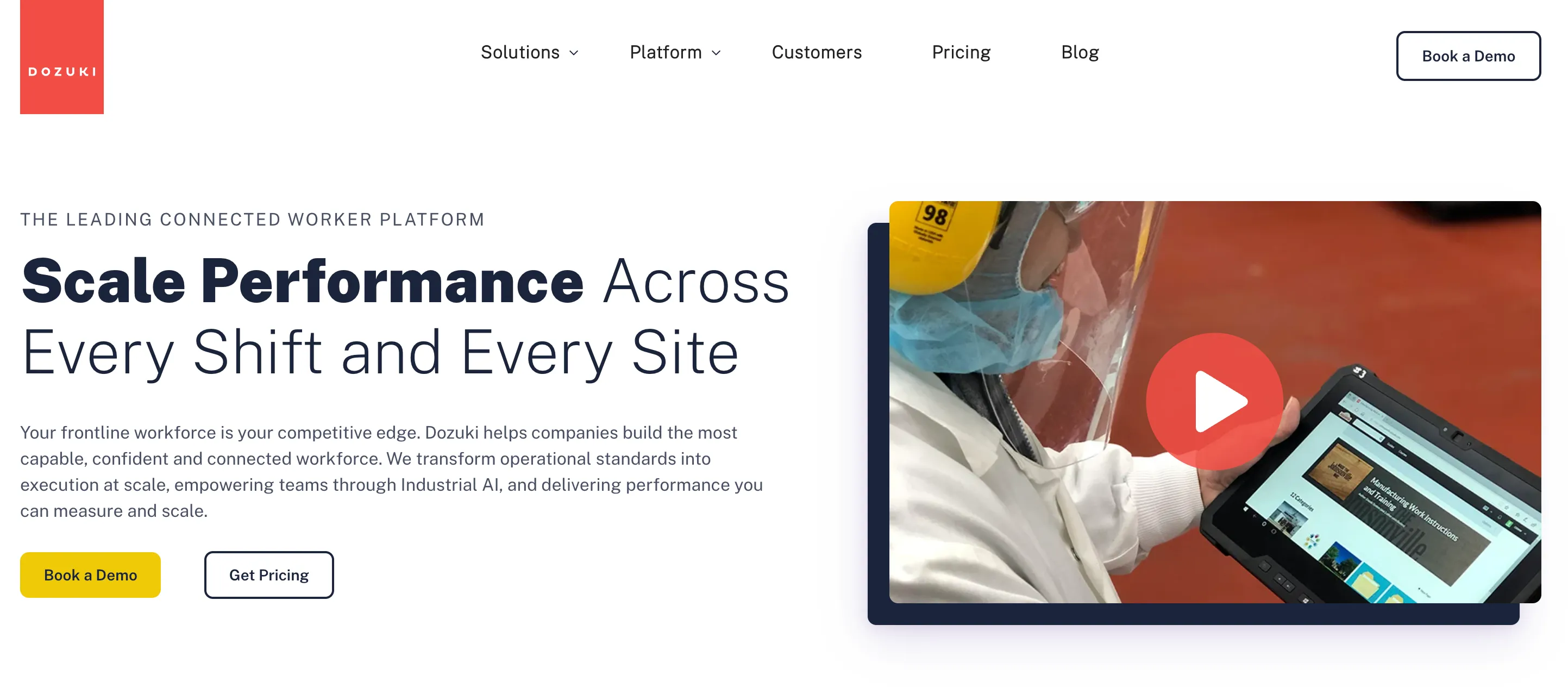
The Dozuki homepage, October 2026. Both buttons lead to a sales conversation. There is no signup.
What it’s good for:
- Aerospace and defense suppliers that handle ITAR-controlled data
- Medical device and pharma plants that need 21 CFR Part 11 validation
- Procedures that carry legal weight, with electronic signatures and a complete audit trail
- Security reviews that ask for SOC 2 Type II and ISO 27001 up front
- Training records and certifications tied to each controlled document
What it’s not good for:
- Teams that need to publish this month
- Plants with no regulatory requirement behind the purchase, where the compliance depth goes unused
- Anyone expecting self-serve signup or a published rate
AI assessment:
- Its CreatorPro AI converts expert video and legacy documents into work instructions, inside the wider platform.
- I will not judge how well it works from the marketing pages.
Honest trade-off: Dozuki has been doing this longer than we have, and its compliance coverage reflects that. SOPX has approvals, procedure history and document IDs, but it does not offer an ITAR option or Part 11 validation. If a regulator or a defense customer sets your requirements, start with Dozuki. If they do not, look at what the depth costs. Teams who evaluated or left Dozuki mention price, particularly for the AI features, and a dated authoring experience. Customers who switched to SOPX told us it felt “heavy, complex, and expensive.”
How much Dozuki costs? No public rate at time of writing. Pricing starts with a demo and typically includes an implementation project. See our Dozuki pricing breakdown for what buyers have reported.
Read the full SOPX vs Dozuki comparison →
5. Azumuta: Best for plants that want instructions connected to tools, quality and skills
Azumuta is a strong pick when the work instruction has to talk to the line, because instructions there sit inside a connected worker platform with quality checks, audits, a skills matrix and MES features. Instructions are built in a no-code editor that takes images, video and 3D models. They can branch by product variant, link to an order from the ERP, and read values from scanners and torque wrenches.
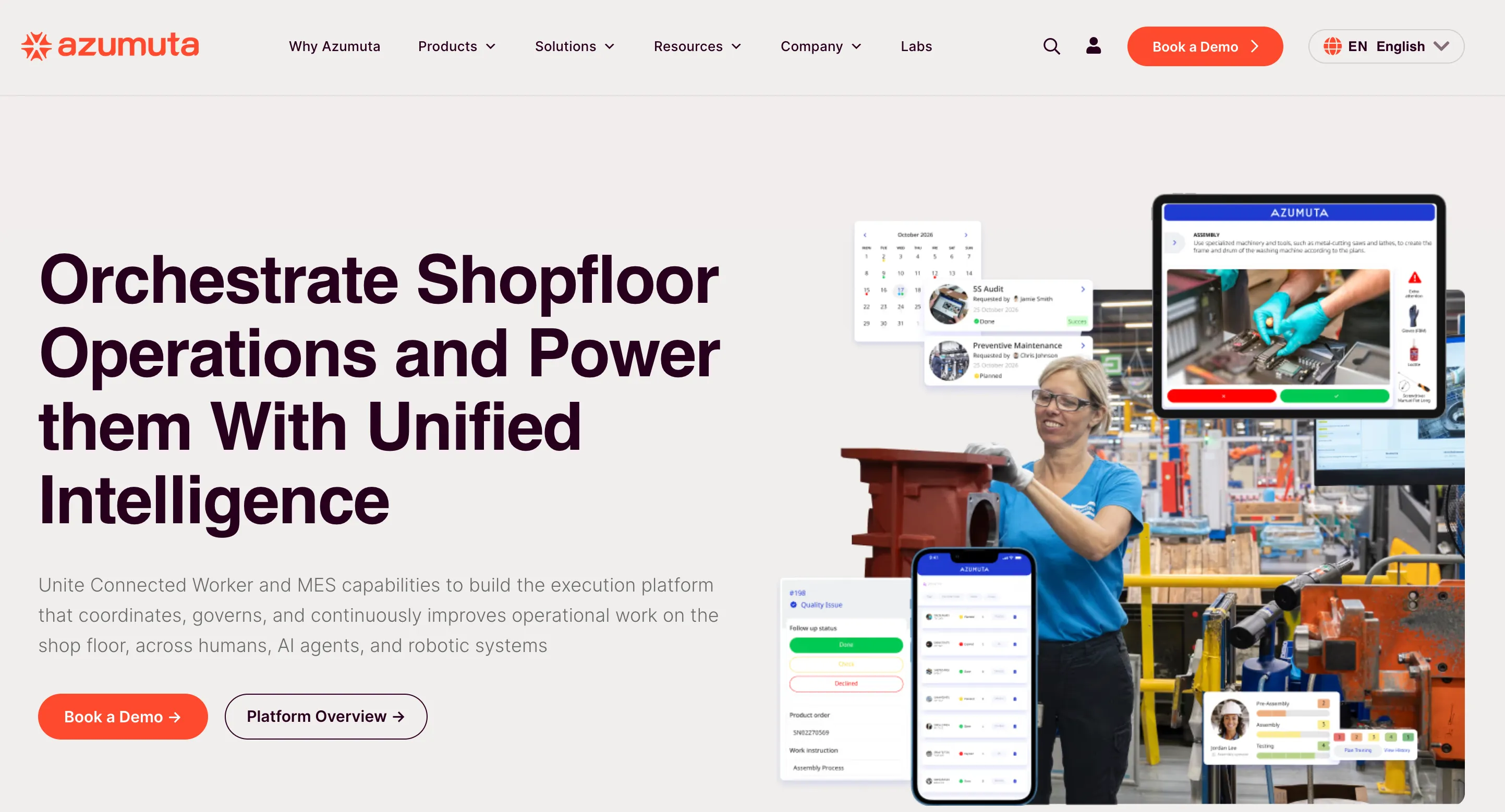
The Azumuta homepage, October 2026. The screens around the operator show the range: an assembly instruction, a 5S audit, preventive maintenance and a quality issue, in one platform.
What it’s good for:
- Assembly with many product variants, managed in one set of instructions
- Steps that need a connected tool, such as a torque wrench or a scanner, to confirm the work
- Plants that want quality checks, audits and a skills matrix in the same platform
- Instructions linked to production orders from an ERP or MES
What it’s not good for:
- Teams that want to film a job and publish the instruction the same day
- Buyers who need to see a price before a sales conversation
- Plants that do not need connected tools or MES features, where the platform is more than the job requires
AI assessment:
- Its site promotes “Azumuta Intelligence” for creating work instructions with AI, and import from PDF, Word and Excel. It does not show what the AI builds from, or how much editing follows.
- Azumuta has shown video-to-instruction conversion in public. The one demo I found is about two years old and the result looked basic, so I will not judge the current product on it. Ask to see it run on one of your own videos.
Honest trade-off: Azumuta goes further than SOPX on connected tools, variant logic and skills tracking. SOPX has none of those three. The other side of the trade is how you start and how long authoring takes. Azumuta begins with a demo and a quote, and offers a two-month joint pilot. Instructions are assembled in an editor. SOPX begins with a free trial, and a phone video becomes a draft instruction in minutes. Both products come from Europe and both handle multilingual floors, so neither of those decides it.
How much Azumuta costs? No public rate at time of writing. Pricing is a tailored quote, with monthly or yearly subscriptions.
6. Tulip: Best when work instructions are one part of a wider frontline platform
Tulip fits best when digital work instructions are one requirement among several, because instructions there are an app you build rather than a document you write. It is a no-code platform for frontline operations, with app building, device and machine connectivity, and data collection alongside guidance.
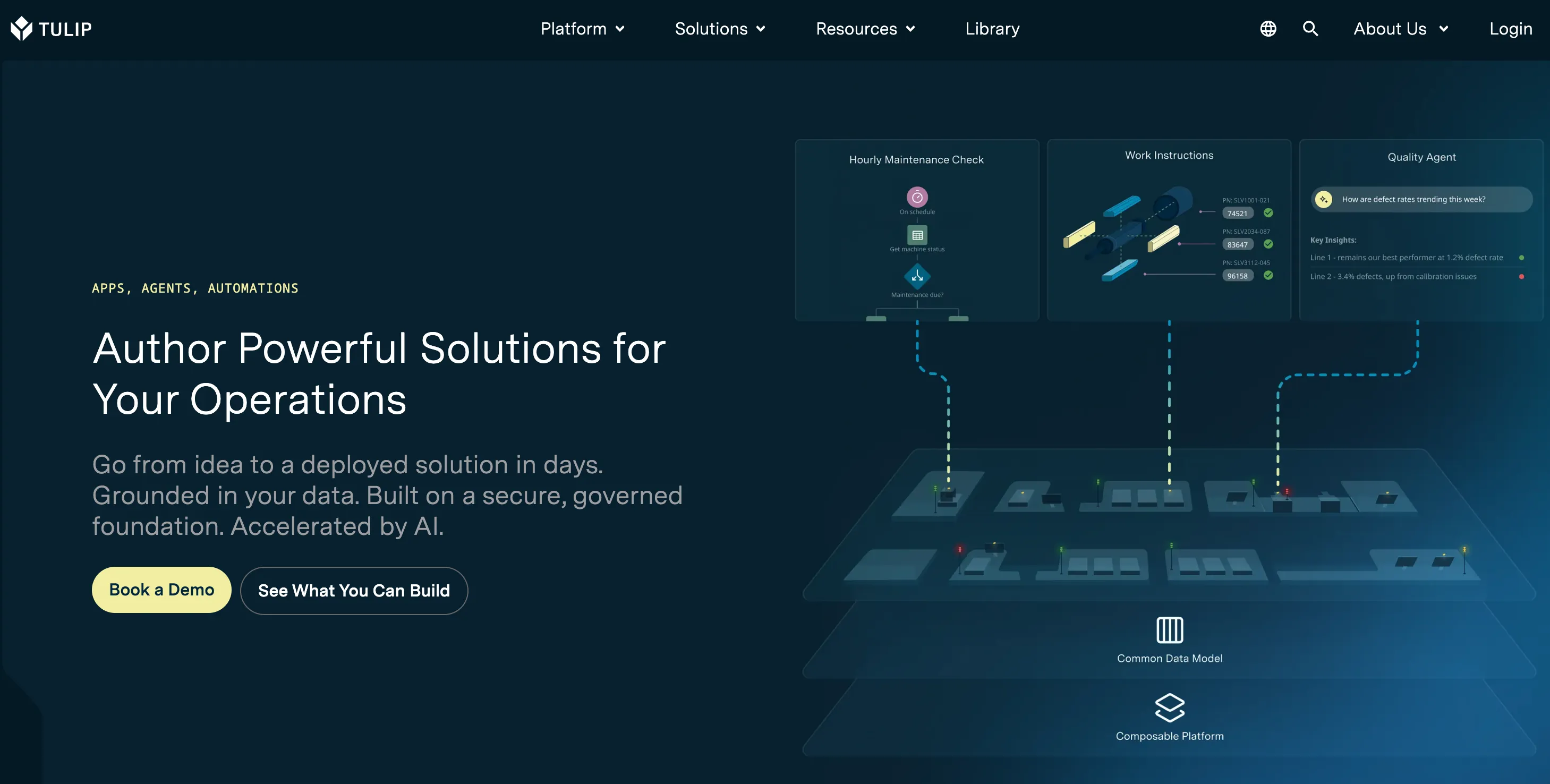
The Tulip homepage, October 2026. Work instructions appear as one tile among three, next to a maintenance check and a quality agent. That is the product in one picture.
What it’s good for:
- Manufacturers who want to build custom frontline apps, not only instructions
- Connecting operator guidance to machines, sensors and devices
- Collecting production data at the point of work
- Engineering teams with the appetite to build and maintain apps
What it’s not good for:
- Teams who want to document a process and publish it, with nothing to build
- Plants with no internal capacity to own an app platform
- Fastest possible path from a video to a readable instruction
AI assessment:
- Tulip has added AI features across the platform, but an instruction there is still an app somebody designs.
- I found no flow that takes a raw video of a task and returns a finished instruction.
Honest trade-off: Tulip is more powerful and more general than SOPX, and that generality is the trade. Somebody has to design the app. If your requirement is genuinely “we need our machine setups written down and readable at the station”, a platform is more machinery than the job needs.
How much Tulip costs? Partly published, with a free tier for evaluation and paid editions above it. Production deployments are quoted.
Read the full SOPX vs Tulip comparison →
7. Operations1: Best for work instructions integrated with SAP, ERP and MES
Operations1 fits large manufacturers who want work instructions wired into the systems that already run the plant. It is a connected worker platform built on open interfaces. Production and maintenance orders flow in from the ERP or MES, the right variant of the instruction opens for that order, and the completed report is written back. Operations1 is an SAP partner and says its platform is designed for manufacturers with 500 or more employees.
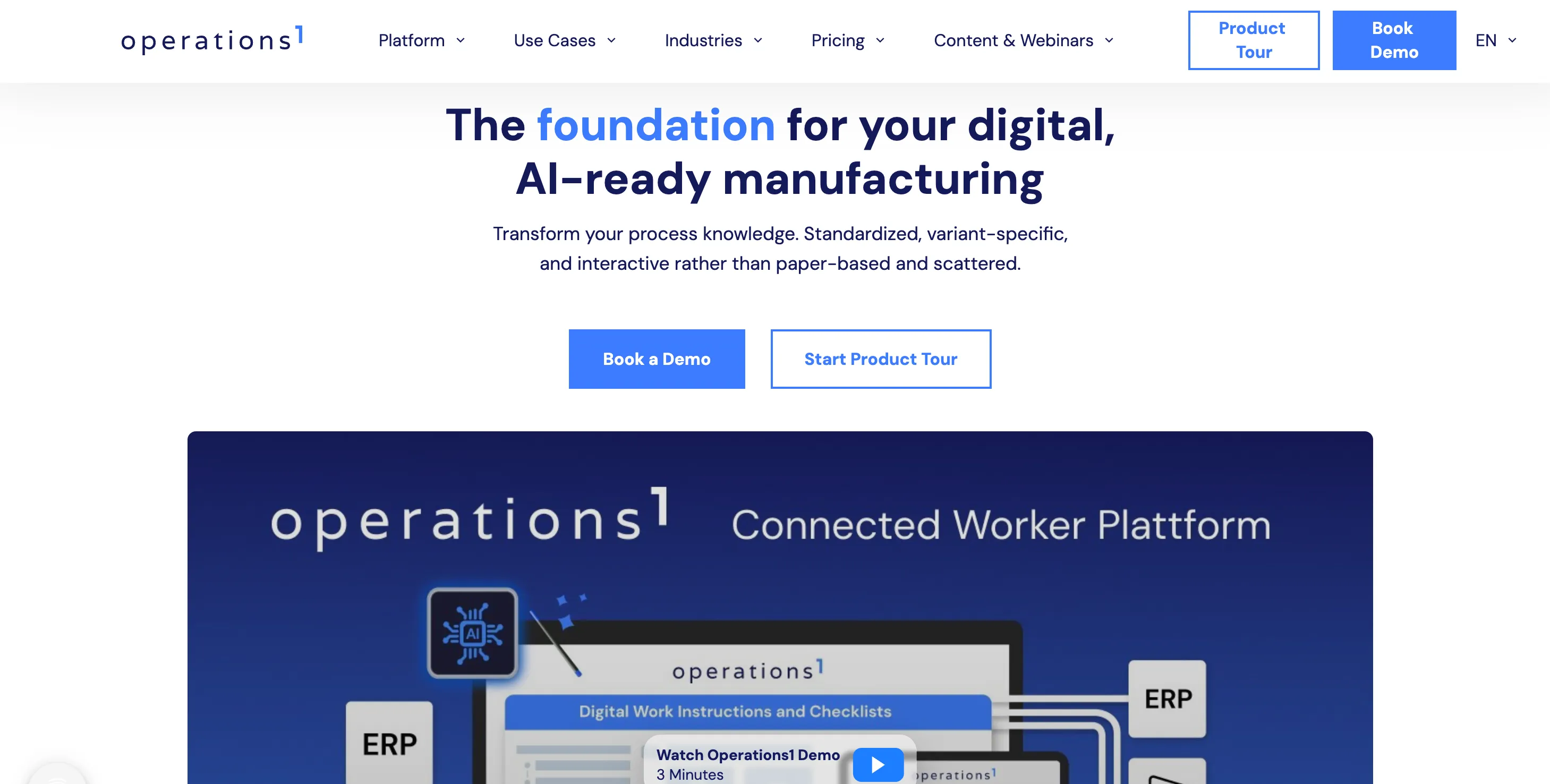
The Operations1 homepage, October 2026. The diagram puts the work instruction between two ERP boxes, which is the integration story the product leads with.
What it’s good for:
- Instructions and checklists triggered by a production or maintenance order from SAP, another ERP, or an MES
- Master data, such as equipment and functional locations, pulled from the leading system
- Reports that flow back to SAP or SharePoint after the work is done
- Variant-specific instructions assembled from reusable modules
- Large backlogs of existing Word, Excel, PowerPoint and PDF files, converted with its AI Document Automator
What it’s not good for:
- Plants that run no ERP or MES integration and only need instructions written and readable at the station
- Teams with no IT capacity to set up connectors and data mapping
- Buyers who need a price before a sales conversation
- Anyone whose source material is video of the job
AI assessment:
- The AI here is aimed at documents. The AI Document Automator converts existing Office and PDF files into structured, editable instructions.
- That is the right kind of AI if your backlog is 800 Word files. It does less for a task nobody has written down.
Honest trade-off: Operations1 is far ahead of SOPX on integration. SOPX has no standard connectors to SAP, an ERP or an MES. Those are scoped on request for Enterprise customers. If an instruction has to open from a work order and report back into SAP, Operations1 is built for that and SOPX is the wrong tool. The cost of that depth is an integration project with your IT team before operators see anything. SOPX starts from the other end: a phone video becomes a draft instruction in minutes, with no systems to connect first.
How much Operations1 costs? No public rate at time of writing. It lists two plans, Professional for a departmental rollout and Enterprise for multiple sites, both custom priced.
8. Augmentir: Best for AI that adapts to each operator’s skill level
Augmentir is the most distinctive AI proposition in this category because it adapts the instruction to the individual operator’s proficiency rather than serving everyone the same steps. A new hire sees more detail, an experienced operator sees less, and the system learns from execution data.
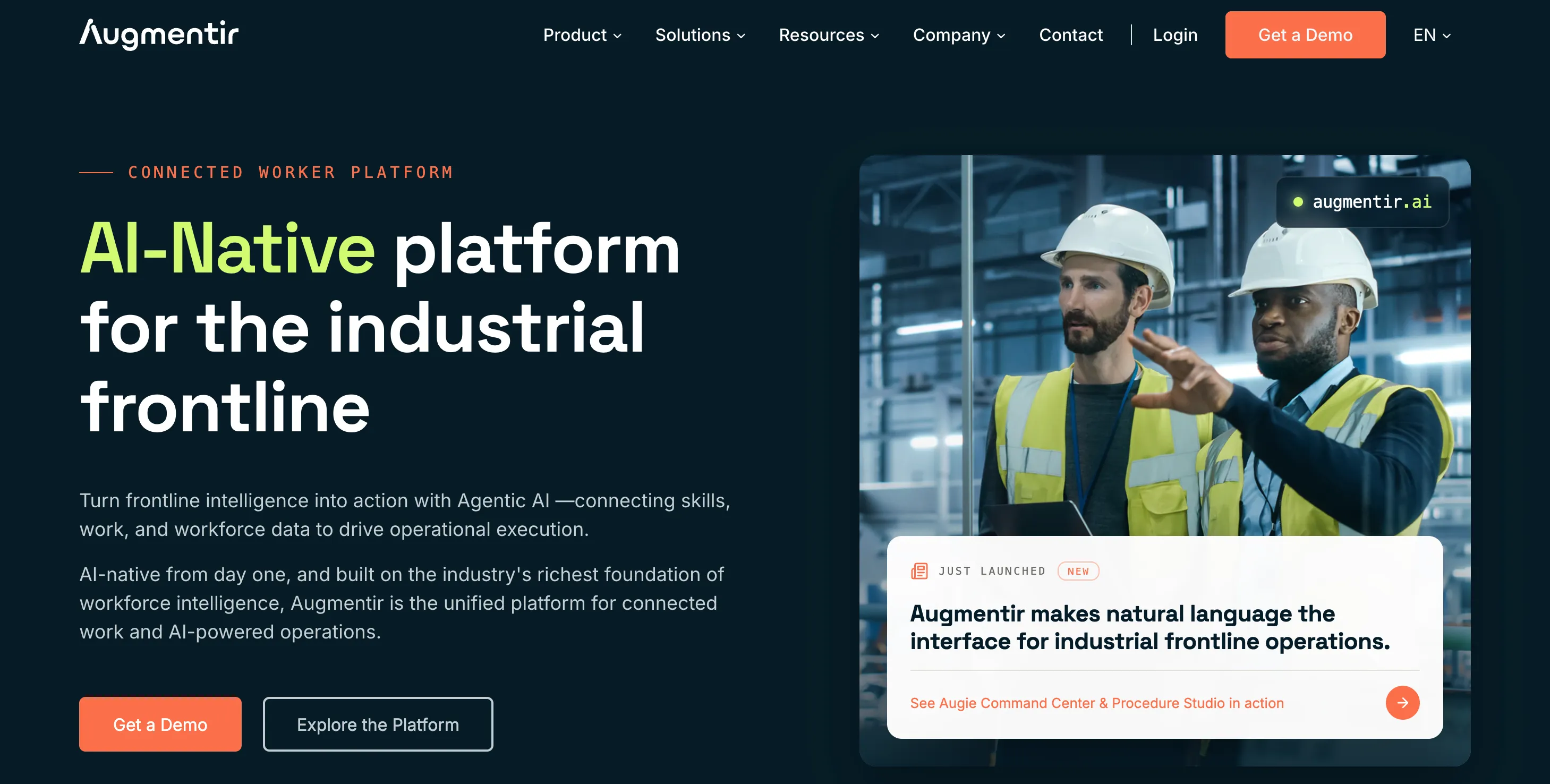
The Augmentir homepage, October 2026. The pitch is skills, work and workforce data connected by AI, with instructions as one input.
What it’s good for:
- Large frontline workforces with a wide spread of experience
- Organizations with high turnover where new hires need more guidance than veterans
- Teams that want performance data from execution feeding back into training
- Enterprise deployments with a data and continuous improvement function
What it’s not good for:
- Small plants where every operator is known personally and adaptive delivery solves nothing
- Teams whose problem is that instructions do not exist yet
- Buyers without an enterprise budget
AI assessment:
- The AI is used differently here. It looks at execution data and operator proficiency, then changes how much guidance each person sees.
- This is AI for delivery more than for writing. It assumes the instructions already exist.
Honest trade-off: Adaptive instruction is genuinely differentiated and SOPX does not do it. The question to ask yourself is whether you have the problem it solves. Adaptive delivery matters at hundreds of operators with widely varying tenure. Below that, the constraint is usually that nothing is written down, and a system that personalizes non-existent instructions helps nobody.
How much Augmentir costs? No public rate at time of writing. Pricing starts with a demo.
Other tools worth a look
REWO. Another product that starts from video of the job, sold through a demo and a per-site license. See SOPX vs REWO for the side-by-side.
SafetyCulture, and its work instruction product Mitti. SafetyCulture grew up as inspections, audits and checklists, with work instructions added alongside. If your real need is inspection rounds with a procedure attached, it is a serious option, and it has a free tier. If the deliverable is a visual instruction built from watching somebody do the job, it does not generate that from video.
If your work happens on a screen, look elsewhere entirely. Screen capture tools are excellent at documenting software workflows and useless on a factory floor. See SOPX vs Scribe and SOPX vs Tango if some of your processes are on a computer.
Work instructions vs SOPs (work instructions vs standard operating procedures)
A standard operating procedure defines what has to happen and why, at the level of a process. A work instruction defines exactly how one person performs one task at one station. Most modern tools handle both, including SOPX. The words matter when you search: “SOP software” surfaces office tools built on screen recording, and “work instruction software” surfaces manufacturing platforms. For the full breakdown, including standard work instructions (SWI), read SOP vs work instruction vs SOI vs SWI.
Which one should you pick?
Short version:
- Small or mid-sized plant, instructions needed this week, mixed-language floor → SOPX
- Regulated, high-mix assembly tied to an MES → VKS
- Multi-site frontline program with skills tracking → Poka
- Regulated manufacturing with ITAR, FDA or audit requirements → Dozuki
- Instructions connected to tools, quality checks and a skills matrix → Azumuta
- Custom frontline apps connected to machines → Tulip
- Instructions triggered by SAP, ERP or MES orders, with reports written back → Operations1
- Hundreds of operators with very different experience levels → Augmentir
Frequently Asked Questions
What is the best work instruction software for manufacturing?
For small and mid-sized manufacturers, SOPX is the strongest fit because you can film a task on a phone and publish a structured visual instruction in under 10 minutes without a sales call. A hard requirement changes the answer: VKS for assembly tied to an MES, Dozuki for ITAR or FDA validation, Operations1 for SAP integration, and Augmentir for adaptive, skill-based delivery.
How much does work instruction software cost?
Most of this category does not publish pricing. VKS, Poka, Dozuki, Azumuta, Operations1 and Augmentir all quote custom pricing that starts with a demo, and enterprise deals frequently include an implementation fee and a first-year seat minimum. SOPX publishes its plan prices, includes viewers on every plan, and offers a 14-day free trial with no credit card. Budget for the sales process itself when you plan the timeline.
Does work instruction software work for processes other than assembly?
Yes, but check the fit. Tools built around assembly are strong on variants, parts lists and connected tools. For a changeover, a weld, a CNC setup or a cleaning routine, the instruction has to show how the work is done by hand. Video-based tools such as SOPX suit that, because you film an experienced operator once and each step keeps its own clip.
Can AI create work instructions from a video?
Yes. SOPX, Poka and Dozuki all describe AI that builds structured instructions from recordings, though they differ in what they start from and how much editing follows. SOPX takes a phone or screen recording of the real task and returns steps with a trimmed clip, a title and a description on each one, which you then edit. Expect to correct some steps. The point is that correcting a draft is far faster than writing from a blank page.
Can I convert our existing PDF work instructions instead of refilming everything?
Yes, and for most plants this matters more than video capture, because the backlog already exists. SOPX imports a PDF procedure and parses it into structured digital steps with images extracted automatically. Operations1, Poka and VKS also convert existing Office and PDF documents. If you have hundreds of legacy files, make document import a scored requirement rather than an afterthought.
Which work instruction software handles multiple languages?
Language coverage matters on any floor with agency or migrant workers, and most enterprise platforms support translation as part of their feature set. SOPX translates an instruction into 50+ languages in seconds with side-by-side review, which removes the separate translation project that usually blocks this. Ask any vendor whether translation is included or quoted as an add-on.
Start free with SOPX
If your work happens at a machine rather than on a screen, and the honest state of your instructions is paper, a shared drive or somebody’s head, SOPX is built for that. Film the job on a phone, get a structured visual instruction in under 10 minutes, translate it into 50+ languages, and put a QR code at the station so operators open the current revision.
Fourteen days free, no credit card, no scoping call.
If a different tool fits your situation better, use that one. Every comparison linked above is a full side-by-side written by the same team, including the places where SOPX loses.