


SOP Software: Four Different Products, One Label
Screen recorders, floor documentation tools, learning platforms, and document control systems are all sold as SOP software. They solve different problems. Work out which one you need before you compare feature lists.
- 1 Work out which type you need
- 2 Compare on capture, not features
- 3 Trial before you commit
What is SOP software?
SOP software is any tool used to create, store, distribute, and revise standard operating procedures, the documents that define how a recurring task should be performed so it is performed the same way every time. Standard operating procedure software is the same category under its longer name, and vendors use the two terms interchangeably. The label covers a wider range of products than buyers expect, which is the root of most bad purchases in this category.
Four distinct product types are sold under the same label. Screen-capture tools such as Scribe and Tango build a procedure by recording clicks in a browser, and are excellent for software workflows and useless for anything physical. Floor documentation tools start from video of a person doing the job and are built for manufacturing, logistics, and field work. Learning platforms deliver procedures as training courses with completion tracking. Document control systems govern procedures that already exist through versioning, approval, and audit trail. Some products span two of these; almost none span all four.
The single question that sorts the field is where the work happens. If the process is entirely on a screen, a screen-capture tool will be faster and cheaper than anything else. If the process involves a machine, a vehicle, a kitchen, or a warehouse aisle, a screen recorder cannot capture it at all and the shortlist changes completely. SOPX is in the second group: it turns a phone recording of the real job into a structured procedure, and also imports existing PDFs so a legacy library moves into the same system.
The Problem
The tool cannot capture the actual work
A browser extension records clicks. It cannot document a machine setup, a changeover, or a quality check done by hand and eye, and that is where the expensive mistakes happen.
Starting from a blank page
Asking someone to write a procedure from nothing is a much harder request than asking them to correct a draft. Most documentation backlogs are stalled at the blank page, not at the review.
Months of setup before the first procedure exists
Enterprise options need a demo, a scoping exercise, a seat minimum, and a paid implementation before anyone publishes anything. Large multi-site rollouts need that. A 60-person plant that wants procedures this quarter does not.
The document stops matching the work
A procedure written once and never revised stops describing the real process within months. Nobody notices until an audit, a defect, or a new hire who follows the old instruction exactly.
Nobody is sure which version is current
Procedures spread across shared drives, printed binders, and chat threads. When two copies disagree, the floor follows whichever one is closest to hand, and the approved revision loses.
Half the shift cannot read the procedure
A procedure that exists only in English stops working the moment part of the team reads something else. Translating by hand is slow enough that most teams skip it and rely on a colleague to explain.
How SOPX Helps
capture routes, one library
Any process, not just on-screen ones
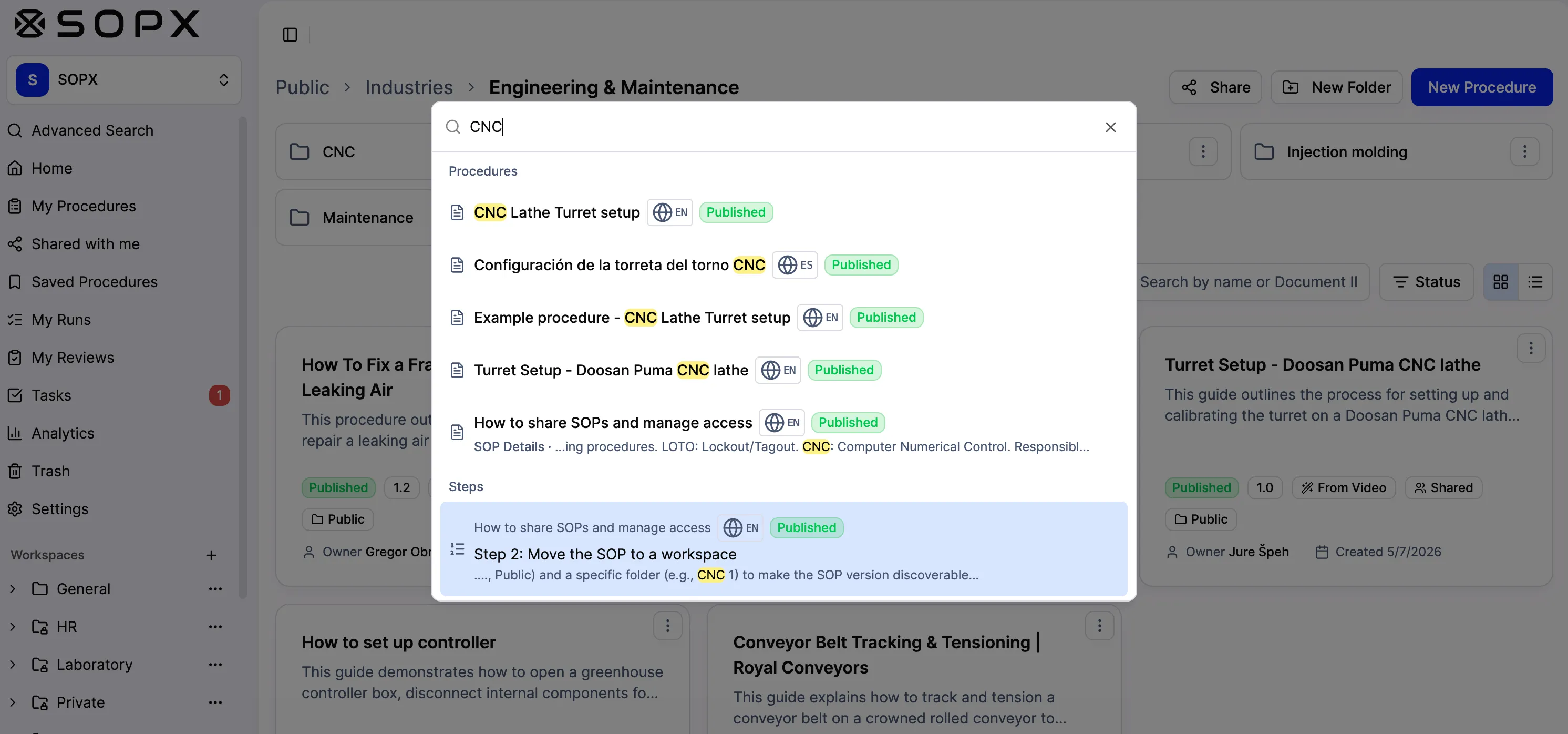
Film a task on a phone or record a screen. Either input produces the same structured procedure, with a trimmed clip and a written description on every step, so a team with both office and floor processes runs one system.
to a publishable draft
A draft to react to, not a blank page
AI writes the first version of every step from the recording, including details nobody narrated. Reviewing and correcting a draft is a fundamentally easier task than authoring from scratch, which is why the backlog actually moves.
sales calls to get started
Self-serve, no implementation project
Sign up, upload, publish. No demo required, no scoping exercise, no seat minimum, and a free trial that does not ask for a credit card. Per-seat pricing is published on the pricing page.
How It Works
Capture the process
Record the task on a phone or capture a screen workflow. Or skip capture entirely and import the PDF procedures you already have.
Review the AI draft
The AI splits the source into steps, trims a clip to each, and writes the description. You correct wording, reorder, and annotate frames with arrows and callouts.
Publish, translate, and control it
Share by link or QR code, translate into 50+ languages, route revisions through approval, and keep every version in history.
The four categories sold as SOP software
Pick the row that matches your work before you compare feature lists.
| Screen capture | Learning platform | SOPX | |
|---|---|---|---|
| Documents on-screen work | Yes, its strength | Via uploaded content | Yes |
| Documents physical work | No | Only if filmed elsewhere | Yes, from phone video |
| Imports existing PDFs | No | As attachments | Yes, parsed into steps |
| Multilingual output | Usually English only | Varies | AI translation, 50+ languages |
| Version control and approval | Basic | Course versioning | Yes, with audit trail |
| Training completion tracking | No | Yes, its strength | Run mode and tasks, not courses |
| SCORM export to an LMS | No | Native, it is the LMS | Yes, SCORM 1.2 packages |
| Buying motion | Self-serve | Sales-led | Self-serve, free trial |
How SOPX compares
Teams evaluating SOPX for sop software usually weigh it against Scribe , Tango , Dozuki , and SweetProcess . The side-by-side breakdowns show where each tool fits and where SOPX pulls ahead.
Keep Reading
Best SOP software in 2026
Already know the category and want a product shortlist. Six named tools ranked by use case, including what each one is bad at.
Learn more →Best AI SOP creation software
Six tools tested specifically on what their AI can and cannot capture.
Learn more →Work instruction software
The floor-facing category, in the language manufacturing and logistics teams actually use.
Learn more →SOP management software
For teams whose procedures already exist and now need version control, approval, and an audit trail.
Learn more →What SOPX does
The full capability list, plan by plan, if you have already narrowed the shortlist.
Learn more →SOP software vs an LMS
Where the line falls between documenting a procedure and training someone on it.
Learn more →Industries Using This
Manufacturing
Film any shop floor process with your phone. AI creates a structured work instruction in under 10 minutes. Organize by production line or department. Operators open the right work instruction at the workstation with a QR code, in their language.
Learn more →Food Production
Film sanitation, production, and quality procedures. Upload existing HACCP documentation as PDFs. AI creates structured, versioned SOPs. Organize by area. Every worker reads procedures in their language.
Learn more →Logistics & Warehousing
Film picking, packing, receiving, and shipping procedures. AI creates structured SOPs in minutes. Organize by warehouse zone or facility. Seasonal hires access procedures from shift one with a QR code.
Learn more →Field Service
Film any installation, repair, or maintenance task with a phone. AI generates a structured SOP. Technicians open it on mobile at the customer site, in their language.
Learn more →Healthcare
Film bedside, lab, or front-desk procedures with a phone. AI generates a structured SOP in minutes. Each clinician sees the procedure for their unit, in their language, accessible at the point of care.
Learn more →Retail & Hospitality
Film housekeeping, front desk, kitchen, and service procedures. AI creates structured SOPs in minutes. Organize by department. Housekeeping sees housekeeping procedures. Kitchen sees kitchen procedures. Train multilingual teams in their language.
Learn more →Related Use Cases
Process Standardization
Process variation drives quality issues, waste, and errors. Standardize every task with visual SOPs generated from your best methods, accessible at every workstation.
Learn more →Training & Onboarding
Upload a process video. Get a step-by-step SOP in minutes. New hires train independently with visual procedures. No more weeks of shadowing.
Learn more →Knowledge Capture
SOPX is tribal knowledge software: record your experts doing the tasks they already do every day, and AI turns the footage into structured, shareable SOPs. The expert keeps working, not authoring docs.
Learn more →Quality & Compliance
Generate the procedure from a process video. Save a new version every time it changes. Translate it to 50+ languages with a side-by-side review editor. Share it at the workstation by QR code. Export to PDF or Word for an audit binder.
Learn more →Built for These Roles
Operations Manager
You do not have hours to write procedures, and your best operators should not either. They film the job on a phone, AI drafts a clear step-by-step SOP, and you review it in minutes. The line keeps running when someone is out.
Learn more →Quality Manager
Defects and variation come from work done a different way every time. Have your best operator film the correct method, let AI draft the procedure, and control which version the floor runs.
Learn more →Training & L&D Manager
Your best people do not have hours to write training docs, and they should not have to. Film the expert doing the task, let AI draft a step-by-step guide in under 10 minutes, and give new hires the real method to study before they start.
Learn more →Documentation / SOP Coordinator
You keep the SOP library built, current, and in everyone's hands. Stop staring at a blank page and chasing SMEs. Film the expert once or import the PDFs you have, let AI draft the SOP, and run document control from one searchable place.
Learn more →Production Supervisor / Team Lead
You answer the same questions every shift, and your best operators lose time to it too. Film the job once, let AI draft a step-by-step visual work instruction, and point your team to one link they open right at the workstation.
Learn more →COO / VP of Operations
Output should not depend on who is on shift. Capture the proven method on video, let AI draft the operating procedure in minutes, and publish the same playbook to every site. Execution stops varying from location to location.
Learn more →