SOP Analytics: See Who Actually Uses Your Procedures

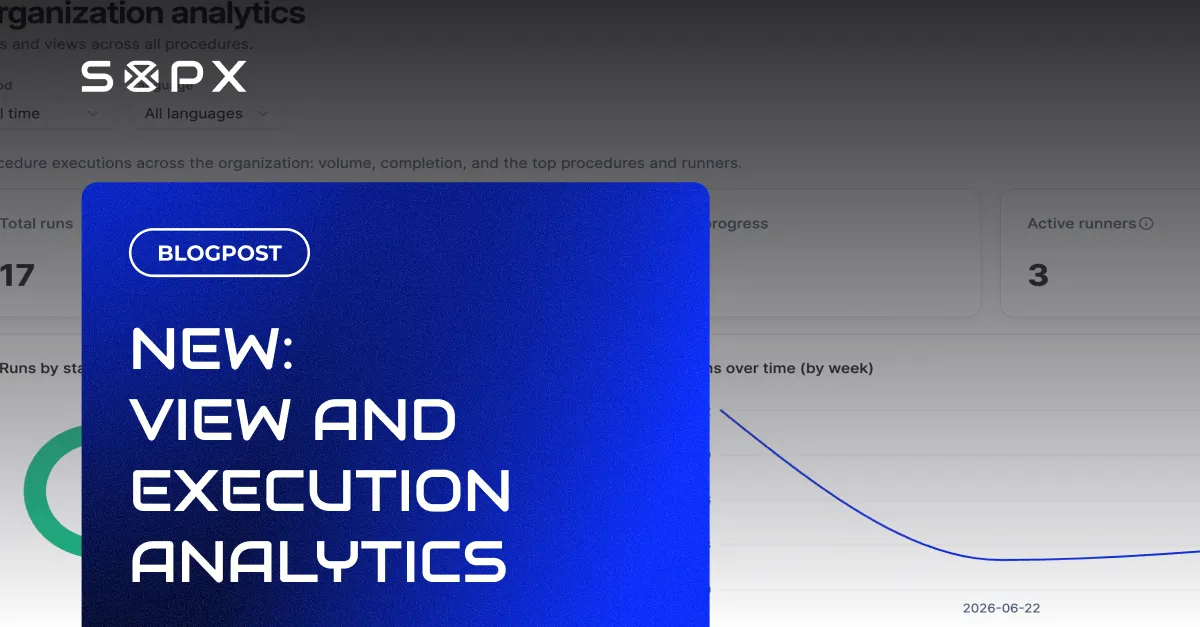
SOPX analytics shows who viewed and ran each SOP, your most popular procedures, public view counts, and your most active people, plus run results in one place.
TL;DR
Most teams write SOPs and never find out if anyone uses them. SOPX analytics gives you that visibility: who viewed and ran each procedure, which procedures are most popular, how many times a public link has been opened, and who your most active people are. You can also review run results in one place. It turns your SOP library from a black box into a signal you can act on.
- See who viewed what and when, so you know your procedures are reaching the floor.
- Find your most popular procedures and your most active team members.
- Track public view counts on the links and QR codes you share externally.
- Review run results in one place to confirm steps were completed and signed off.
- Available on the Pro and Enterprise plans.
The problem: you have SOPs, but no idea if they work
Writing the procedure is the visible half of the job. The invisible half is whether it gets used. Without data, you are guessing. Is the new starter following the onboarding SOP, or shadowing someone anyway? Is that safety procedure being opened before the task, or ignored? Which of your 200 documents are load-bearing, and which are dead weight?
Guessing leads to two bad outcomes. You keep polishing documents nobody reads, and you miss the ones that are quietly being ignored until something goes wrong. Analytics replaces the guess with a number.
What SOPX analytics shows you
- Views: who opened what, and when. Confirm a procedure is actually reaching the people who need it, instead of assuming it is.
- Most popular procedures. See which SOPs carry your operation, so you know where to focus quality and updates.
- Public view counts. Every public link or QR code you share reports how many times it was opened, so you can tell whether the QR on the machine is being used.
- Most active team members. See who is engaging with your library, useful for spotting both your power users and the teams that have gone quiet.
- Run results. When a procedure is run with Run mode, review the completed runs in one place to confirm steps were done and signed off.
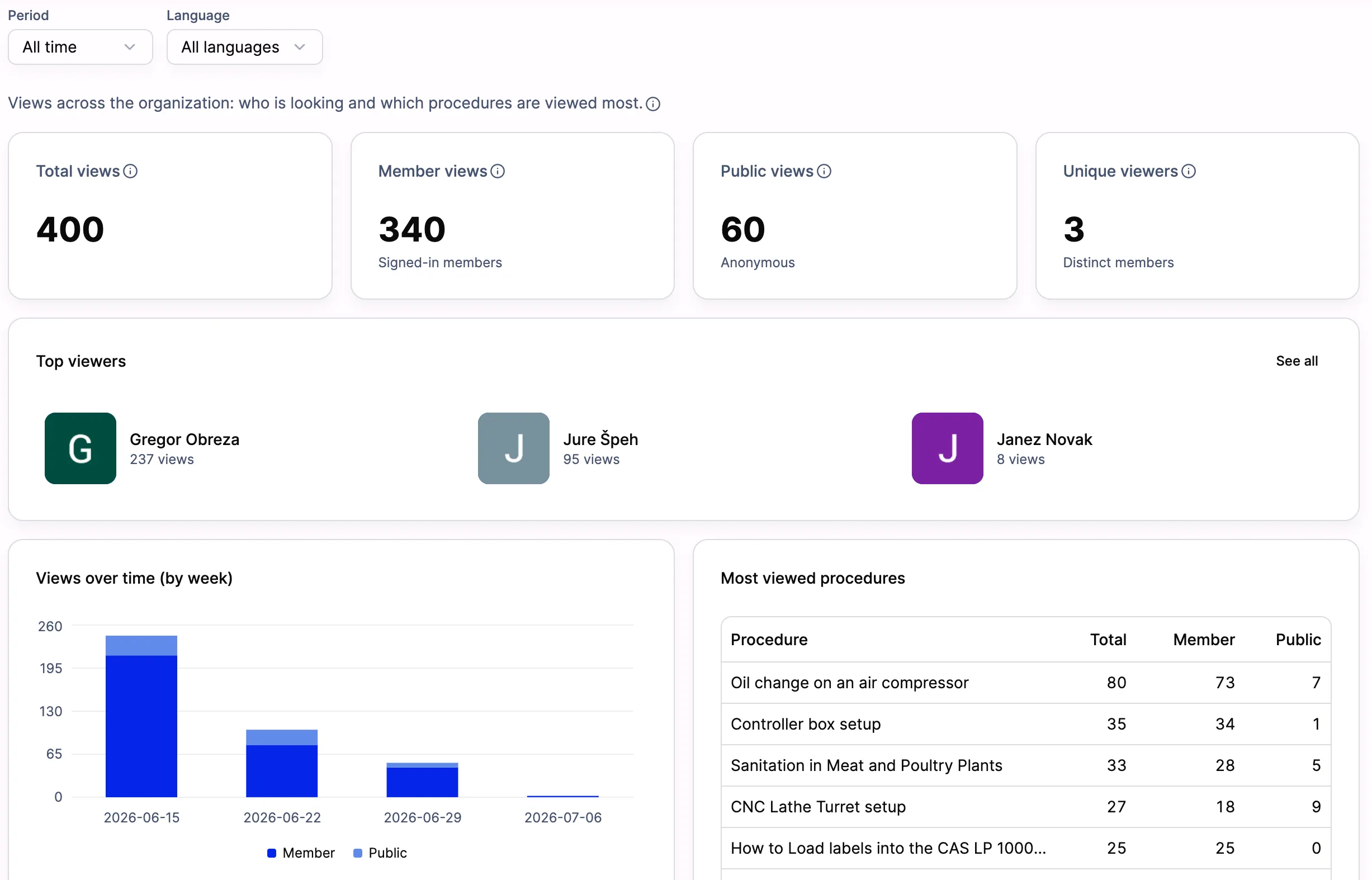
View analytics in one place: how many times each procedure was opened and by whom, which SOPs are viewed most, public link view counts, and your most active people. This is where you confirm a procedure is actually reaching the floor.
Two ways teams use it
Compliance and audit readiness
Analytics gives you visibility into whether your controlled procedures are being reached and run. Combined with Run mode’s signed records, you can show that the current version is in use, not just published, which is the kind of evidence a quality or compliance review looks for. For the full document-control picture, see our guide to ISO 9001 SOPs and work instructions.
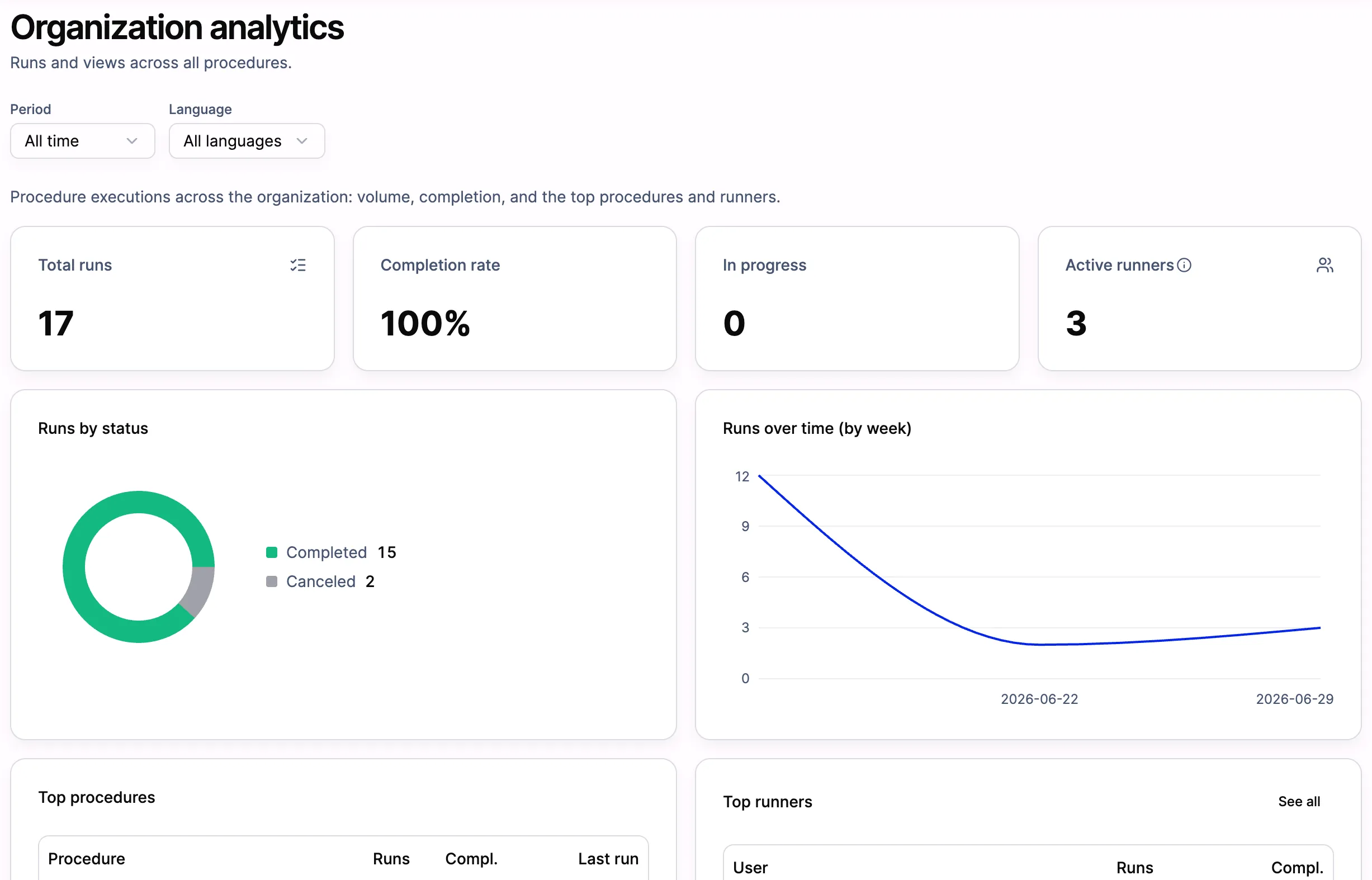
Run results in one place: every completed run of a procedure, who ran it, and when, so you can confirm the steps were done and signed off. This is the record you point an auditor or customer to.
Process optimization
Usage data tells you where to spend your time. A procedure with heavy views but a stalled run rate might be confusing, so you fix it. A procedure nobody opens might be redundant, so you retire it. This is the feedback loop behind reducing errors and waste. You improve the procedures that matter and stop maintaining the ones that don’t.
Teams also use it for proving adoption to leadership, spotting an onboarding SOP that new hires skip, or catching a multi-site location where a standard procedure is not being followed.
The benefit in one line
Analytics turns your SOP library from a folder of documents into a system you can manage. You can see what is used, fix what is ignored, and prove what is working. For operations managers, that visibility is the difference between “we have SOPs” and “here is exactly how they are being used.”
Frequently asked questions
What does SOPX analytics track?
Who viewed and ran each SOP and when, your most popular procedures, public view counts on shared links and QR codes, your most active team members, and run results from procedures executed with Run mode.
Can I see if a specific procedure is being used?
Yes. You can see the views on a procedure and, where it is run with Run mode, the completed runs. That tells you whether it is reaching the floor and being executed, not just sitting in the library.
How is this useful for compliance?
It gives you visibility that your current procedures are being opened and run. Paired with Run mode’s signed run records, it helps you demonstrate that the approved version is actually in use.
Which plans include analytics?
Analytics is available on the Pro and Enterprise plans. See the pricing page for details.
Want to see how your own procedures are used? Start free, share a couple of SOPs, and watch the usage come in.