How to Create SOPs and Work Instructions with AI

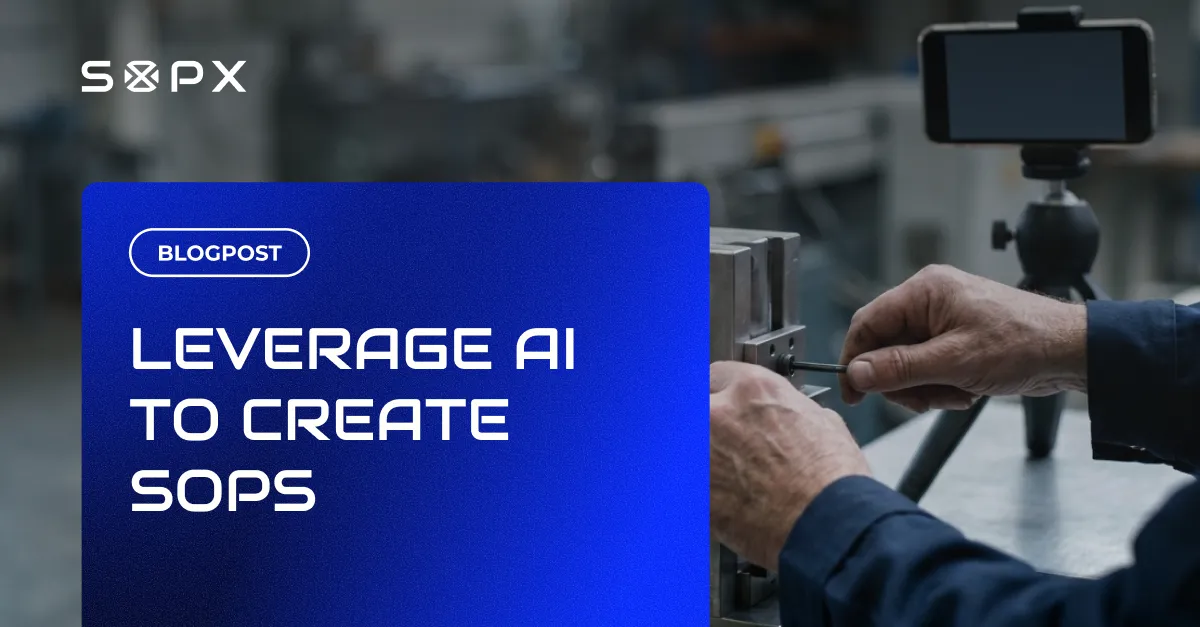
A practical, step-by-step guide to creating SOPs and work instructions with AI: which input to record, what AI does well, where people still review, and how to publish in minutes.
TL;DR
You create an SOP with AI by recording the process once and letting software turn that recording into structured, step-by-step instructions. Film the work on a phone, upload it, review the AI draft, translate if needed, and publish. A typical procedure goes from raw footage to a published SOP in under 10 minutes.
- AI splits an uploaded recording into ordered steps, each with a trimmed clip, a title, and a description.
- AI does not invent a procedure; it structures one you already perform, which makes it suited to physical work where the procedure lives in an operator’s hands.
- AI produces a strong first draft, not a finished document, so a subject matter expert still reviews step order, technical detail, and safety information before publishing.
- Inputs can be a phone video, a screen recording, or an existing PDF that AI parses into a structured digital SOP.
- A finished SOP can be translated into 50+ languages and shared by link or QR code, with older versions kept as history.
Most teams do not have an SOP problem. They have a writing problem. The knowledge exists, but turning it into clear standard operating procedures by hand takes hours per document, so it never gets done. AI removes the writing step. This guide shows how to create SOPs and work instructions with AI in practice, what the software handles well, and where a person still needs to review.
How to create an SOP with AI (the short version)
- Record the process on a phone or as a screen recording.
- Upload it to video SOP software.
- AI extracts the steps, with a trimmed clip, a title, and a description for each.
- Review and edit the draft, since AI produces a strong first version, not a finished document.
- Translate and publish, then share with the team by link or QR code.
The rest of this guide explains each step and how to keep the result accurate.
What “creating SOPs with AI” actually means
AI does not invent a procedure. It structures one you already perform. You capture the real work, and the software converts that raw input into an editable, step-by-step document. Instead of starting from a blank page, you start from a working draft built from how the job is actually done.
This matters most for physical work. On a factory floor, in a food production line, or in a field repair, the procedure lives in an experienced operator’s hands. Record them once and AI turns that into a procedure a new hire can follow.
Step 1: Record the process
Film the procedure as it happens. A phone is enough. No studio, no script, no special hardware. For software tasks, a screen recording works the same way.
Keep one procedure per recording. A changeover is one SOP. A quality check is another. If an operator does both in the same session, split the recording before you process it. This single habit improves the output more than any setting. Try to speak clearly as you perform the procedure. AI uses the audio to understand the context and merges it with the visuals. In our internal testing, this made the output two to five times better.
Step 2: Upload it and let AI build the draft
Upload the recording to an AI SOP tool. The AI watches the footage, finds where one step ends and the next begins, pulls screenshots from the relevant frames, and writes a title and description for each step. The full draft is ready in minutes.
AI sometimes cuts a clip mid-sentence, or a step does not come out exactly as you want. You can trim the clips, duplicate steps, or reorder them. The output is fully editable and entirely up to you.
You can also start from an existing recording you already have. Old training videos, a recorded Teams call, or GoPro footage all work as input.
Step 3: Review and edit
AI produces a strong first draft, not a finished document. A person still needs to check it. Verify the order of steps, correct any wrong detail, add the safety notes that matter, and replace a clip on any single step if a better angle exists. You can also annotate a frame with arrows and callouts so operators see exactly what to focus on.
This shifts the expert’s job from writing to reviewing. The hard part, knowing how the work should be done, stays with the person who knows it. The slow part, turning that into a formatted document, moves to the software.
Step 4: Translate, publish, and share
Once the draft is right, translate it into 50+ languages with AI if your team needs it, then publish. Share the SOP by link or QR code so operators can open the current version at the workstation. This gives you one source of truth for each procedure at a single, unchanging link, instead of many files in SharePoint named like line_3_sop_v_3_1.pdf and line_4_sop_v_3_0.pdf, where workers mix them up, search too long, or open an outdated version. When the process changes, edit the SOP and everyone gets the latest version. Older versions are kept, so you have a history of what changed.
What AI does well, and what still needs a person
AI is good at:
- Splitting a recording into clear, ordered steps
- Pulling screenshots and trimming clips for each step
- Writing a first-draft title and description per step
- Producing a consistent structure across every procedure
- Translating a finished SOP into many languages
A person still owns:
- Whether the procedure is correct and complete
- Safety-critical detail and compliance wording
- Fine-tuning the start and end of each video clip
- Fine-tuning thumbnails
- Approval and sign-off
- Judgment on what to document first
Treat AI as the drafting engine and the expert as the editor. That division is what makes the output both fast and trustworthy.
Choosing your input: video, screen recording, or existing PDF
You do not always start from a fresh recording.
- Physical work: film it on a phone. This is the core of video SOP software.
- Software workflows: use a screen recording.
- Procedures already written as PDFs: import the PDF and AI parses it into a structured digital SOP, extracting steps, descriptions, and images. See importing existing documents.
Most operations end up using more than one input. The point is the same. Capture what exists, let AI structure it.
A manufacturing example
A plant runs the same changeover two ways. Day shift finishes in 38 minutes, night shift in 52, and the documented procedure is a PDF last updated long ago. Someone records the day-shift changeover on a phone and uploads it. In under 15 minutes they have a structured, step-by-step SOP with a clip for each step. Comparing it to what night shift actually does surfaces the gap. Two steps in a different order, one step skipped, one tool used incorrectly. None of it was in the old PDF, because the old PDF described the rules, not the execution.
That is the practical value of creating SOPs with AI. You document the real work fast enough that it is worth doing, and current enough that people trust it.
Common mistakes to avoid
- Recording three tasks in one video. Split first. One procedure, one file.
- Publishing the AI draft without review. Always have the expert check it.
- Writing the SOP by hand “to be safe.” That is the exact bottleneck AI removes.
- Letting SOPs go stale. Edit the source when the process changes, so the shared version stays current.
Where to start
Pick one procedure that causes the most variation or the most onboarding pain. Record it, run it through video SOP software, review the draft, and publish. One good SOP this week beats a documentation project that never ships. See the full SOPX platform for how creation, translation, versioning, and sharing fit together.
Frequently Asked Questions
How do I create an SOP using AI?
Record the process on a phone or as a screen recording, upload it to an AI SOP tool, and the software builds a structured SOP from it. It splits the recording into steps, each with a trimmed video clip, a title, and a description. You review and adjust the draft, then publish, usually in under 10 minutes.
Can AI create work instructions from a video?
Yes. This is the most common way to use it. AI analyzes the video, identifies each step, extracts screenshots, and writes a first draft of the work instruction. You review the result and edit anything that needs correcting before publishing.
How do you leverage AI to create SOPs?
AI platforms like SOPX save senior operations managers days, even weeks, per year, because they no longer have to sit and write procedures. AI turns a video recording of a real process into a step-by-step visual SOP in minutes instead of days, and workers open it by link or QR code right at the line.
Are AI-generated SOPs accurate enough to use?
AI produces a strong first draft, but a person should always review it before publishing. The software handles structure and formatting well. A subject matter expert verifies technical detail, step order, and safety information. That review step is what keeps AI-created SOPs reliable.
What is the best AI tool to create SOPs from video?
Look for a tool that accepts any phone or screen recording, extracts a clip plus a title and description for each step, lets you edit every step, translates into multiple languages, and keeps versions. SOPX is built for this, with a focus on physical processes on the factory floor, in food production, and in field service.
Can AI turn an existing PDF procedure into a digital SOP?
Yes. You can import an existing PDF and AI parses it into a structured digital SOP, extracting steps, descriptions, and images automatically. This is useful when your procedures are already written but locked in static files.
Does creating SOPs with AI work for manufacturing and food production?
Yes, that is where it fits best. You film real physical work, such as machine setup, changeover, line cleaning, or packaging, and AI turns it into a step-by-step SOP. Because the SOP is built from the actual process, it shows the real hands-on steps rather than a generic description.