Multi-File AI Generation: One SOP From Several Videos and PDFs

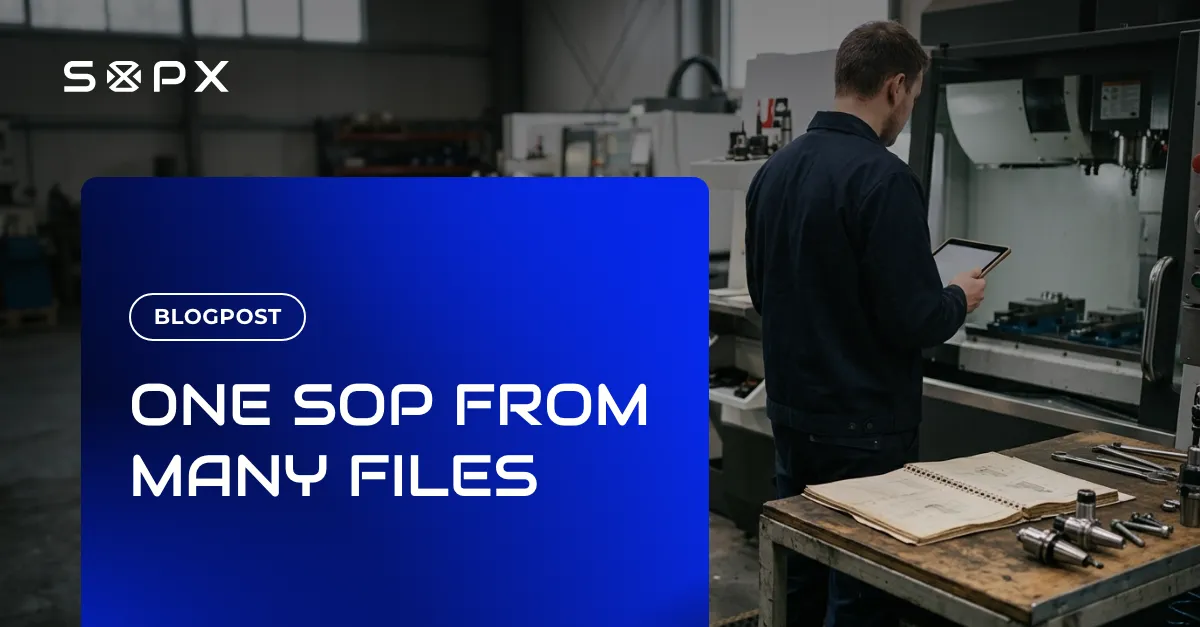
Upload up to 5 videos and 5 PDFs for one procedure and the AI reviews them together to produce a single SOP. Each PDF is either a Procedure file steps come from, or Additional info that enriches it.
TL;DR
Most procedures are not documented in one place. There is a recording of the setup, another of the changeover, a machine manual, and a spec sheet nobody has opened in a year. Multi-file AI generation takes up to 5 videos and 5 PDFs for the same procedure and reviews them together, producing one SOP instead of one document per file.
- Combine up to 5 videos and up to 5 PDFs into a single generated SOP.
- Each PDF gets a role: Procedure, which the steps are built from, or Additional info, which the AI reads for context and detail rather than for steps.
- Videos are always Procedure, and you need at least one Procedure file before you can generate.
- Included on the Enterprise plan, at up to 5 videos and 5 PDFs per generation.
The problem: one procedure, several sources
Single-file generation works well when the whole job fits in one recording. A lot of real work does not.
A machine changeover might take two recordings because the operator had to stop halfway. The torque values live in the manufacturer’s manual, not in anything you filmed. The safety requirements are in a one-page sheet from your quality team. There is also an old written procedure that is 70 percent right and worth keeping.
Generate an SOP from any one of those and you get an incomplete document. Generate four separate SOPs and you have made the fragmentation worse, because now the operator has to know which one to open.
You can fix that by hand. Import steps from another procedure lets you pick steps out of one SOP and drop them into another, so four documents can become one again.
It is a good tool for the job it was built for. Think of a lockout step that belongs at the top of six different SOPs, or two procedures that have slowly grown into each other. It is a silly way to document one machine changeover, though. You would be splitting a single job into four documents so you could spend the afternoon gluing it back together.
What you actually want is the thing none of the files is on its own. You want one procedure that carries the steps and the numbers and the warnings.
What multi-file generation is
You upload the sources for a single procedure together, and the AI reviews all of them before it writes anything. The output is one SOP, with the steps in order, drawing on every file you gave it.
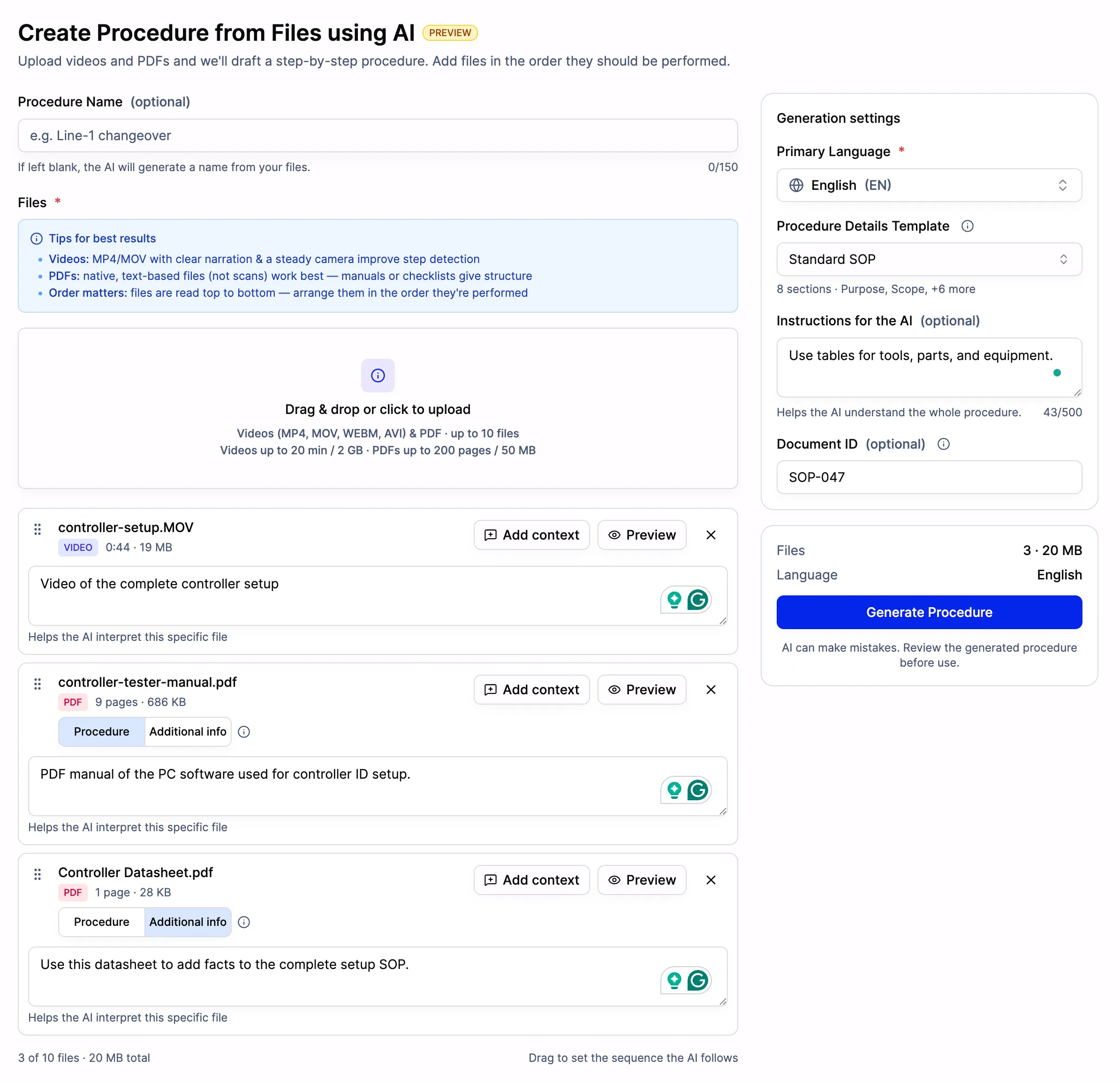
Three sources for one procedure: a setup recording, a tester manual marked Procedure, and a datasheet marked Additional info. The video carries no role toggle, because videos are always Procedure.
Two things on that screen matter more than they look. Order is meaningful. Files are read top to bottom, so you drag them into the sequence the work is actually performed in, which is what keeps a changeover split across two recordings from coming back scrambled. Add context then lets you tell the AI what a particular file is, one file at a time, which is how you explain a document whose filename does not explain itself.
The panel on the right applies to the generation as a whole rather than to any single file. It covers the primary language, which Procedure Details template to fill in, an optional Document ID, and free-text instructions for the AI.
The limits are up to 5 videos and up to 5 PDFs per generation. Where an organization documents work differently, we can configure the ceiling individually, so the number of videos, the number of PDFs, and the total source count can be set to match.
Procedure and Additional info
The part that makes this useful rather than just bigger is that not every file should become steps.
Every PDF you upload is assigned one of two roles:
- Procedure. The step-by-step SOP is generated from this file. Use it for recordings of the work, an existing written procedure, or a work instruction you want carried forward.
- Additional info. The AI reads this file for context, facts, and detail that enrich the generated SOP. It does not normally turn into steps, though the AI will add one if the document clearly calls for it. Use it for a machine manual, a safety data sheet, a spec document, or a standard.
Videos are always Procedure, and that role cannot be changed. You are filming the work being done, so it is a source of steps by definition.
One rule follows from this. At least one Procedure file is required. You cannot generate an SOP from Additional info alone, because a manual describes a machine, not a task. Something has to say what the job is before anything else can add detail to it.
What it merges
In practice the split lines up with a distinction operations teams already make.
Procedure files answer how the job is actually done. That is the recording of your best operator, or the written procedure your predecessor left behind.
Additional info answers what the operator also needs to know while doing it. The tolerance. The torque spec. The chemical handling warning. The part number of the seal.
Those two things almost never live in the same file, which is why merging them by hand is the work nobody has time for. Multi-file generation does the merge at generation time, so the operator opens one document and finds both.
Who it helps
Manufacturing
Machine setup and changeover are the classic case. The procedure exists in an experienced operator’s hands, the specification exists in the manufacturer’s documentation, and neither is much use alone. Record the changeover, add the manual as Additional info, and the generated SOP carries the sequence with the right values attached to the right steps. For teams working on process standardization, this is the difference between a procedure that is followed and one that gets improvised around.
It also matters for capturing know-how before someone retires. You rarely get one clean recording from a person who is about to leave. You get several sessions, and whatever documentation they kept.
Food production
Cleaning and sanitation procedures tend to span a recording of the actual routine plus a chemical dilution chart plus an internal hygiene standard. On a food production line those three have to arrive at the workstation together or the procedure is not really complete. Marking the standard as Additional info keeps its requirements in the SOP without turning the whole compliance document into a list of steps nobody performs in that order.
Training and onboarding
A new hire should not be handed four documents. When you build a work instruction from several sources at once, they get a single path through the task, with the background information already folded into the steps where it is relevant rather than in an appendix.
The benefit in one line
Multi-file generation moves the merging work from a person to the generation step, so a procedure that lives across several recordings and documents comes out as one SOP instead of four partial ones.
Once it exists as a single document, everything else applies to it normally. You can run it as a checklist with sign-offs, translate it, version it, and share it by QR code at the machine.
Frequently asked questions
What is multi-file AI SOP generation?
It is the ability to generate a single SOP from several source files at once. You upload up to 5 videos and up to 5 PDFs for the same procedure, and the AI reviews all of them together before producing one structured document, rather than generating a separate SOP per file.
What is the difference between Procedure and Additional info?
Procedure files are what the steps are generated from. Additional info files are read for context, facts, and detail that enrich the SOP, and they do not normally become steps themselves, although the AI will add one where the document clearly calls for it. Videos are always Procedure. PDFs can be either, and you choose the role when you upload. You need at least one Procedure file to start a generation.
How many files can I combine, and how large can they be?
Up to 5 videos and up to 5 PDFs per SOP, and the ceiling can be configured per customer, including the total number of source files. The length and size of each source is a separate matter. Imports handle videos up to 20 minutes and PDFs up to 100 pages by default, and Enterprise customers can request more, up to 40 minutes and 500 pages or 200 MB.
Which plans include multi-file generation?
It is included on the Enterprise plan. See the pricing page for what is included in each plan.
Bringing an existing library across at the same time? Importing a PDF procedure works the same way on its own, and those documents can then become the Procedure file that a recording adds to later.