Work Instructions for Foreign-Language Workers With AI

Make work instructions foreign-language workers can actually follow. Record the job once, let AI build a visual step-by-step SOP, and translate each step into the worker's language.
TL;DR
AI removes the language barrier in work instructions by recording the job once, building a visual step-by-step SOP, and translating each step into the worker’s language. Every worker opens the same instruction in the language they read best, and a reviewer checks the safety-critical steps against the original before publishing.
- Recording the job on a phone lets AI split it into steps, pull a screenshot per step, and write a step-by-step SOP in under 10 minutes.
- SOPX translates a work instruction into 50+ languages, while the video and screenshots stay identical across every language.
- A side-by-side editor lets a reviewer compare each translated step against the original and correct safety-critical steps like lockout and chemical handling before publishing.
- Workers with limited reading can follow a screenshot that shows the exact action, so the visual format reduces the impact of any wording error.
- Editing the source instruction once updates the translated versions, and version history keeps a record of what changed.
Most floors have the same quiet problem. The procedure is written in one language, but the people doing the work speak several. So the document gets read by a few and ignored by the rest. New hires copy the person next to them. Mistakes spread, and nobody is sure who understood what.
This article shows how to leverage AI to remove that language barrier. The goal is simple. Every worker should be able to open the work instruction in their own language, see what to do, and follow it, even if their reading is limited.
Why translated documents usually fail on the floor
The old fix is to translate the document by hand. Someone exports the SOP, sends it to a translator or a bilingual colleague, waits a week, and gets a PDF back. Then the process changes, and the translation is out of date again.
This breaks down for three reasons.
- It is slow. By the time the translation is done, the work has moved on.
- It is expensive. You either pay a translator or pull a skilled bilingual worker off the line to explain things.
- It does not scale. Five languages means five translation jobs, every time anything changes.
So most teams give up and rely on one English or local-language version, plus a lot of pointing and gesturing. That is the real cost. Not a missing document, but a document nobody can use.
How AI removes the language barrier (step by step)
Here is the workflow that replaces hand translation. It is built around what you do not have to do anymore.
1. Record the job once
Film the procedure as it happens. A phone is enough. No script, no studio. Speak as you work, in whatever language is natural for you. AI uses both the audio and the video to understand the steps.
Keep one job per recording. A machine setup is one instruction. A cleaning routine is another.
2. Let AI build the visual SOP
Upload the recording. AI watches it, splits it into steps, pulls a screenshot for each one, and writes a short title and description per step. In under 10 minutes you have a structured, step-by-step work instruction, instead of a blank page.
This visual structure matters more than people expect. A worker with limited reading can still follow a screenshot that shows exactly which button to press or which guard to close. The picture carries the meaning even when the words are hard.
3. Translate each step into the worker’s language
Once the draft is right, translate it with AI into 50+ languages. You do not translate the document by hand. You do not wait a week. Each worker gets the same instruction, step for step, in the language they read best.
The video and the screenshots stay the same in every language. Only the words change. So a worker watching the clip and reading the step in Ukrainian, Turkish, or Vietnamese is looking at the exact same action as the person reading it in English.
4. Have a reviewer check the safety-critical steps
This is the honest part. Machine translation is good now, but it is not perfect. For most steps, the AI translation is fine. For the steps where a wrong word could hurt someone, a person should check.
SOPX has a side-by-side editor for this. The reviewer sees the original step and the translated step next to each other, and corrects anything that reads wrong. You do not have to re-translate the whole document. You just confirm the steps that carry risk, such as lockout steps, chemical handling, and anything with a real safety consequence.
This keeps the speed of AI translation and adds a human check exactly where it matters.
5. Put it at the workstation
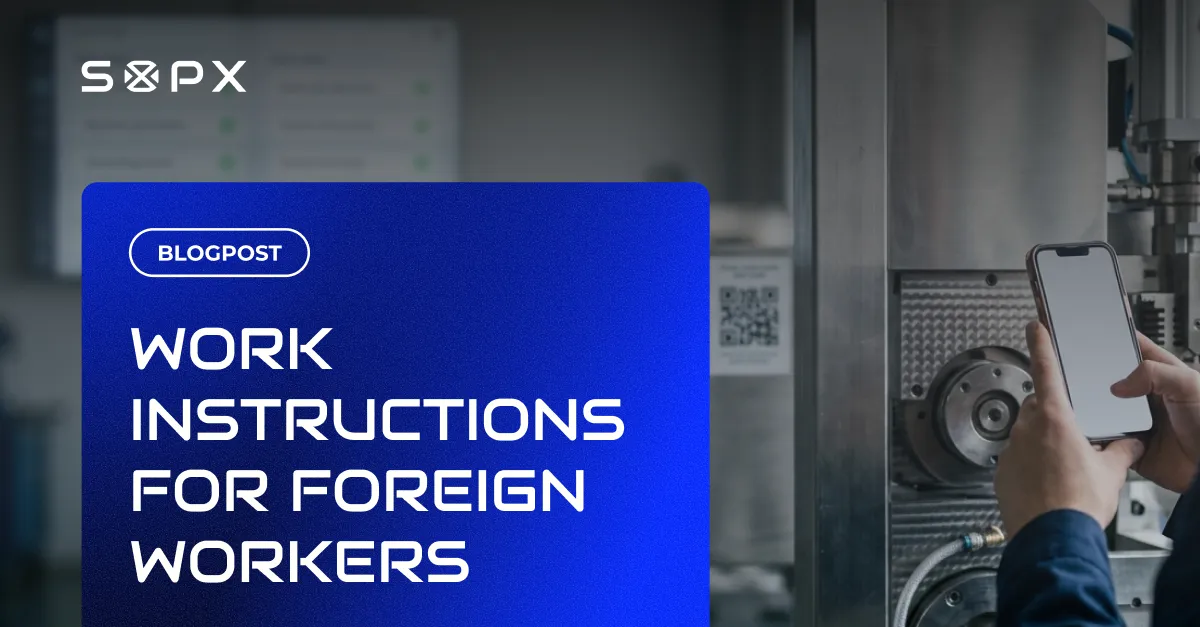
Share each instruction by link or QR code. Stick the QR code at the machine. A worker scans it and opens the SOP in their own language, right where the work happens. When the process changes, you edit the source once and everyone gets the updated version. Older versions are kept, so you can see what changed.
Is AI translation accurate enough for safety instructions?
This is the fair objection, so let us answer it directly.
For general steps, AI translation is good enough to be useful immediately. It carries the meaning of “open the panel, check the gauge, close the panel” across languages without trouble.
For safety-critical steps, you should not publish a machine translation blind. A wrong verb in a lockout step or a chemical-handling warning is a real risk. That is why the review step exists. A person who reads both languages checks the steps that matter, side by side with the original, before the instruction goes live.
So the honest answer is not “AI translation is perfect.” It is “AI does 90% of the work in seconds, and a human reviews the 10% where being wrong is dangerous.” That combination is faster than hand translation and safer than trusting a machine alone.
There is a second safety net built in. Because every step has a screenshot and a video clip, a worker is never relying on words alone. If a translated sentence is slightly off, the image still shows the correct action. Visual steps reduce the cost of a small translation error.
What you stop having to do
It helps to look at this as a list of work that disappears.
- You stop translating documents by hand or paying for outside translation every time something changes.
- You stop pulling a bilingual worker off the line to re-explain the job in another language.
- You stop hoping people understood the English version and finding out they did not when something goes wrong.
- You stop maintaining five separate language PDFs that drift out of sync.
The win is not a new pile of documents. It is the removal of all that repeated effort. You record and review once. AI handles the rest in every language.
Where this fits best
This approach pays off most where the workforce is mixed and the work is physical.
- Manufacturing and assembly. Machine setup, changeover, and quality checks where hand position and tool use matter.
- Food production. Hygiene and line-cleaning routines that must be followed the same way by everyone, every shift.
- Agriculture. Seasonal and migrant crews who arrive, work, and rotate, often with little shared language.
- Construction. Crews from several countries on one site, where a misread safety step is dangerous.
- Logistics and warehousing. High turnover and fast onboarding, where a new picker needs to be productive on day one.
- Hospitality. Kitchen and housekeeping teams that change often and speak many languages.
In all of these, the document was never the problem. The barrier was that people could not read it. See multilingual SOPs for how this maps to a real workflow, or the industries pages for examples close to your floor.
Frequently Asked Questions
How do I make work instructions for workers who do not speak English?
Record the job once, let AI build a visual step-by-step SOP from the recording, then translate each step into the worker’s language with AI. Workers open the instruction by QR code at the workstation, in their own language, with a screenshot for every step. A reviewer checks the safety-critical steps against the original before you publish.
How many languages can AI translate a work instruction into?
SOPX translates an SOP into 50+ languages with AI. The video and screenshots stay the same across all of them. Only the text changes, so every worker sees the same action described in the language they read best.
Is AI translation safe for safety-critical steps?
For most steps, yes. For steps where a wrong word could cause harm, a person should review the translation. SOPX gives you a side-by-side editor so a reviewer can compare the translated step against the original and correct it before publishing. The screenshots and video also reduce the impact of any small wording error, because the worker can see the correct action.
Can workers with limited reading still follow these instructions?
Yes. That is the point of the visual format. Each step has a screenshot, often with arrows or annotations, plus a short video clip. A worker can follow the picture even when the words are hard, which is a major advantage for crews with mixed reading levels.
How fast can I create a translated work instruction?
AI turns a phone or screen recording into a structured SOP in under 10 minutes. Translation into another language is near instant. The slowest part is your own review of the steps that matter, which is the part worth your time.
Do I have to re-translate everything when the process changes?
No. You edit the source instruction once, and the change flows into the translated versions. Versioning keeps the history, so you can see what changed and roll back if needed. You are no longer maintaining a separate document per language by hand.
Start free with SOPX
If part of your team cannot read your current work instructions, no amount of formatting fixes that. The fix is to remove the language barrier itself.
SOPX does it in one flow. Record the job once, and AI builds a visual, step-by-step SOP in under 10 minutes. Translate it into 50+ languages, review the safety-critical steps side by side with the original, and share each version by link or QR code at the workstation. The same source can also import an existing PDF procedure, run in Run mode with per-step sign-off, and keep a full version history. See multilingual SOPs for the full picture.
Try SOPX free. 5 AI-generated SOPs and 3 translations, no credit card required.