How to Add Annotations to Your SOPs

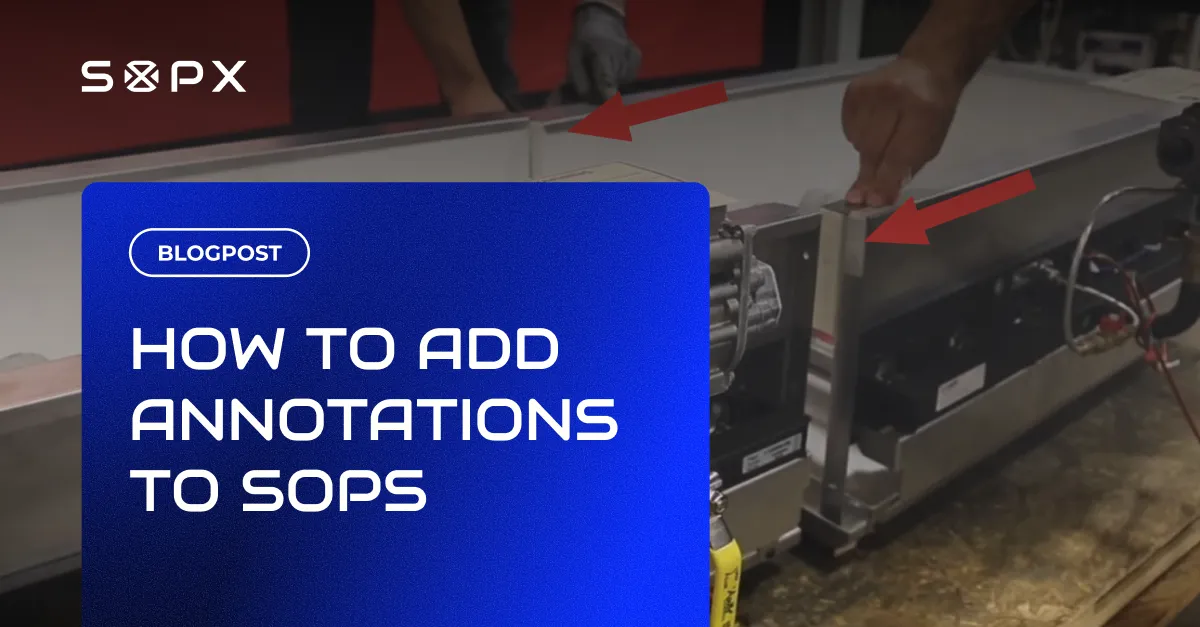
The best way to create visual SOPs with screenshots and annotations: mark up images and video frames with arrows, boxes, callouts, and text. A step-by-step guide for operations teams.
TL;DR
SOPX annotations mark up images and video frames in a SOP with arrows, rectangles, ellipses, text, and callouts so operators see exactly where to focus before pressing play. Markers always appear on the step thumbnail, optionally on the video during playback, and at full size in Detail view next to the clip.
- Available annotation tools are text, arrows, rectangles, ellipses, and callouts, layered and reordered on a single frame.
- Annotations always show on the step thumbnail; a toggle (off by default) makes them also appear on the video during playback.
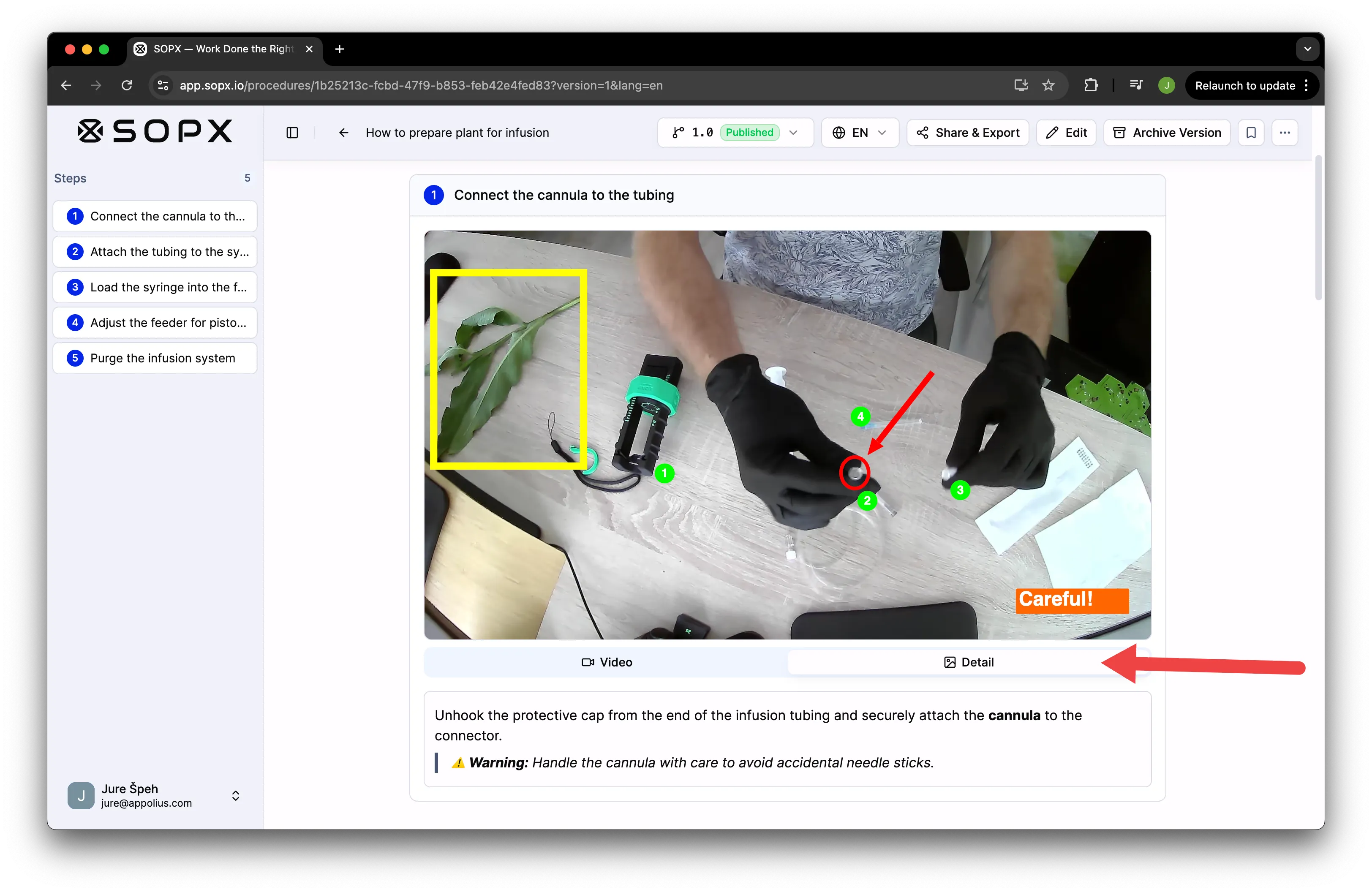
- Detail view opens the annotated key frame at full size next to the video without pausing playback.
- Annotations are added manually today; AI-generated annotations are in development.
- Annotations are included in PDF and Word exports.
You can see a live example in the SOPX walkthrough with annotations. It opens in the browser, no login required.
The best way to create visual SOPs with screenshots and annotations
A visual SOP is a procedure where each step carries an image or a video frame, not just a paragraph. The best way to create one is to start from a real recording or a screenshot, then annotate the frame so the operator sees exactly what to look at.
In SOPX that flow is short. Record a process (or upload a screen recording or a PDF), let AI split it into steps and pull a key frame for each, then mark up the frames that need it. On any frame you add arrows to point, rectangles or ellipses to box or circle a part, callouts to label it, and text to explain. You do not build the visual SOP from a blank page. The screenshots come from the work, and the annotations tell the reader where to focus.
That combination, real screenshots plus arrows, boxes, and callouts, is what makes a visual SOP faster to follow than a wall of text. The rest of this guide walks through adding those annotations step by step.
If you need to soften or hide something in a frame, note that SOPX annotation tools today are text, arrows, rectangles, ellipses, and callouts. There is no blur tool yet; to obscure a detail, cover it with a filled rectangle.
Why annotations matter
A video clip shows a step from start to finish. That is useful, but it does not always tell the operator where to focus. A specific button on a panel, a torque value on a wrench, the difference between two similar parts: these need a visual marker, not just narration.
Annotations close that gap. You point at the exact thing on the frame and the operator sees it before they ever press play. For training new hires and for any work instruction where small details decide whether the job is done correctly, annotations carry a lot of weight per minute of editing.
Step 1: Enter editor mode
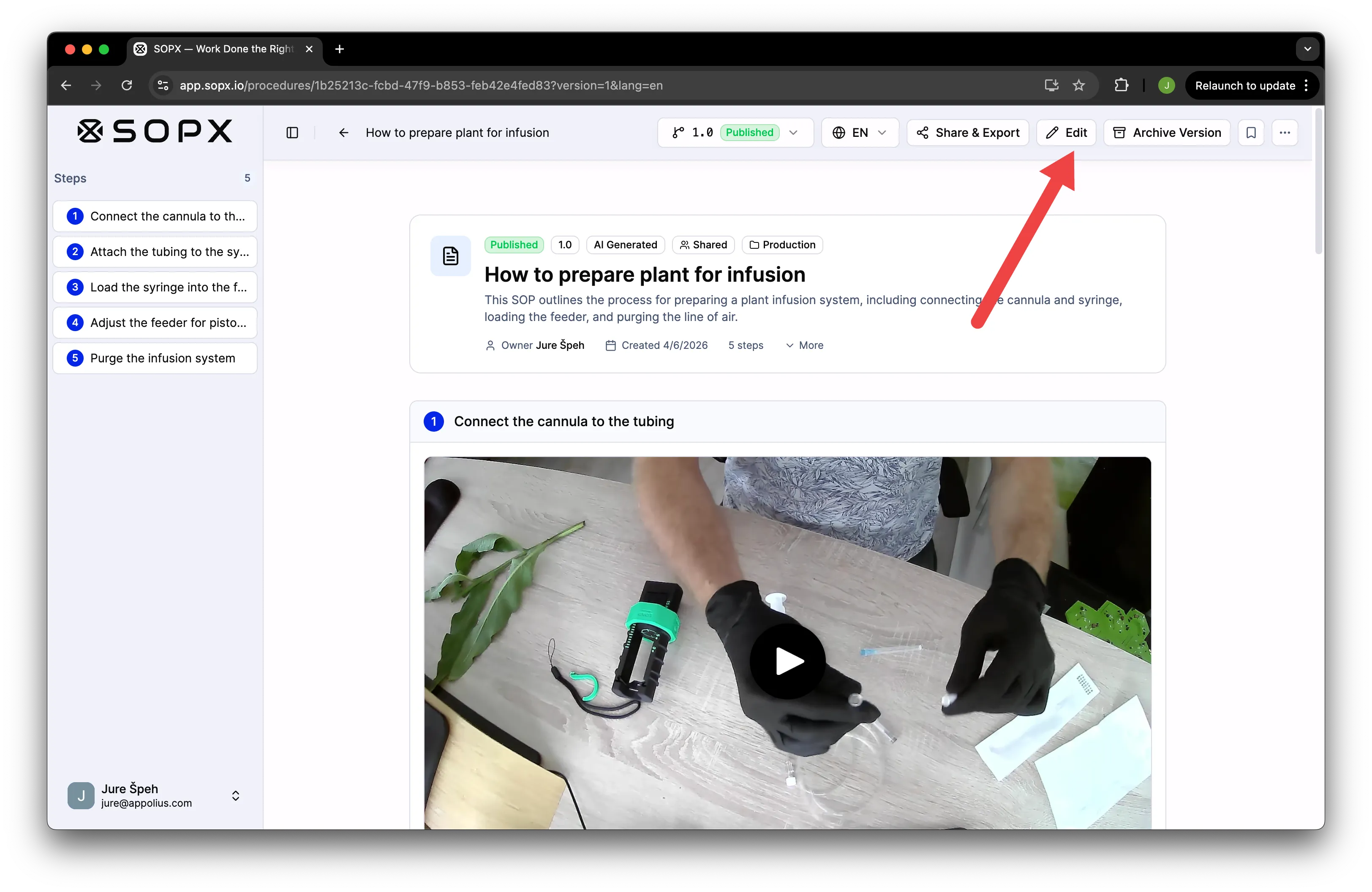
Open the SOP and switch to editor mode.
Step 2: Click the Annotate button
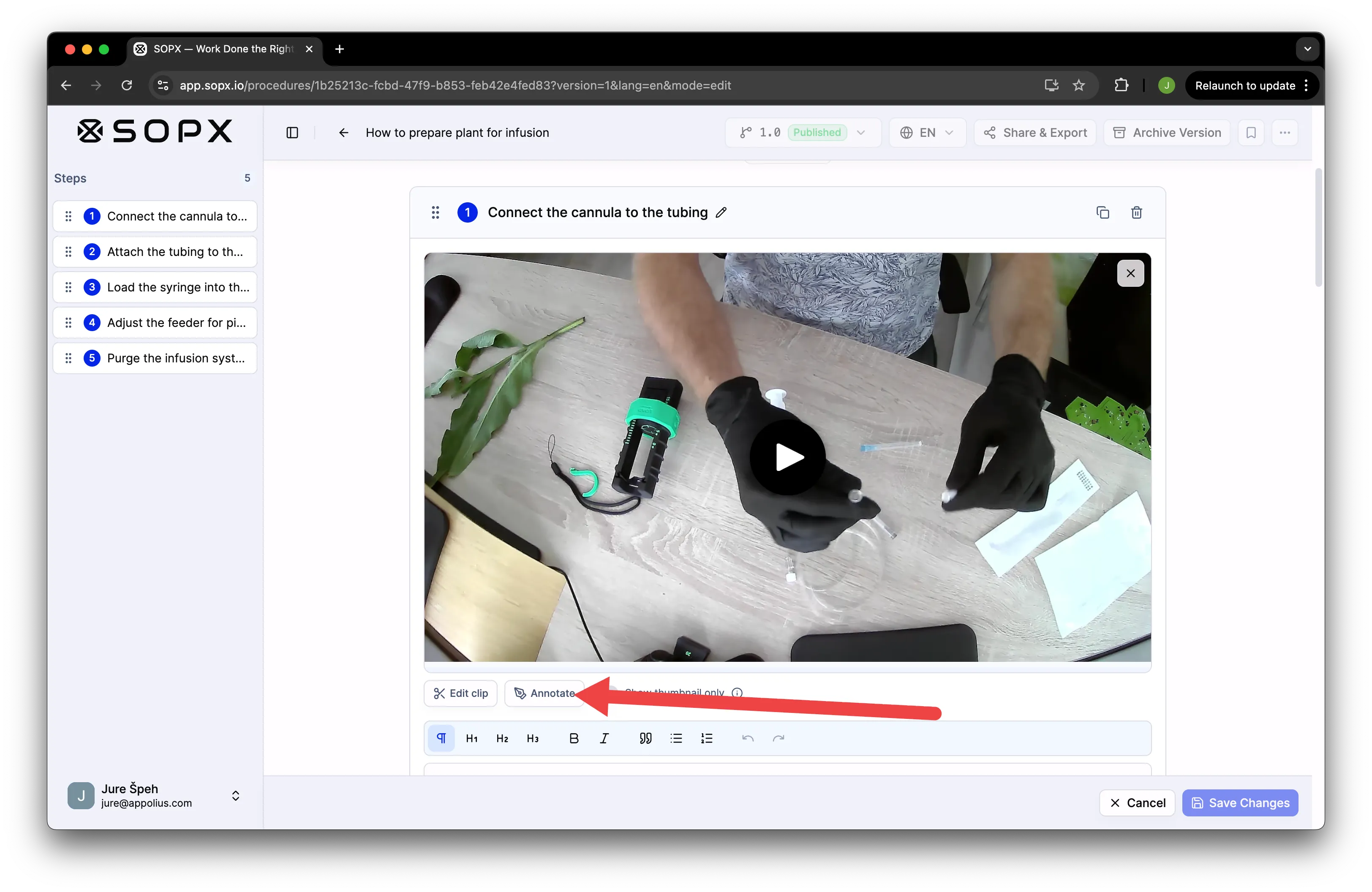
On the step you want to mark up, click Annotate to open the annotation tools.
Step 3: Add annotations
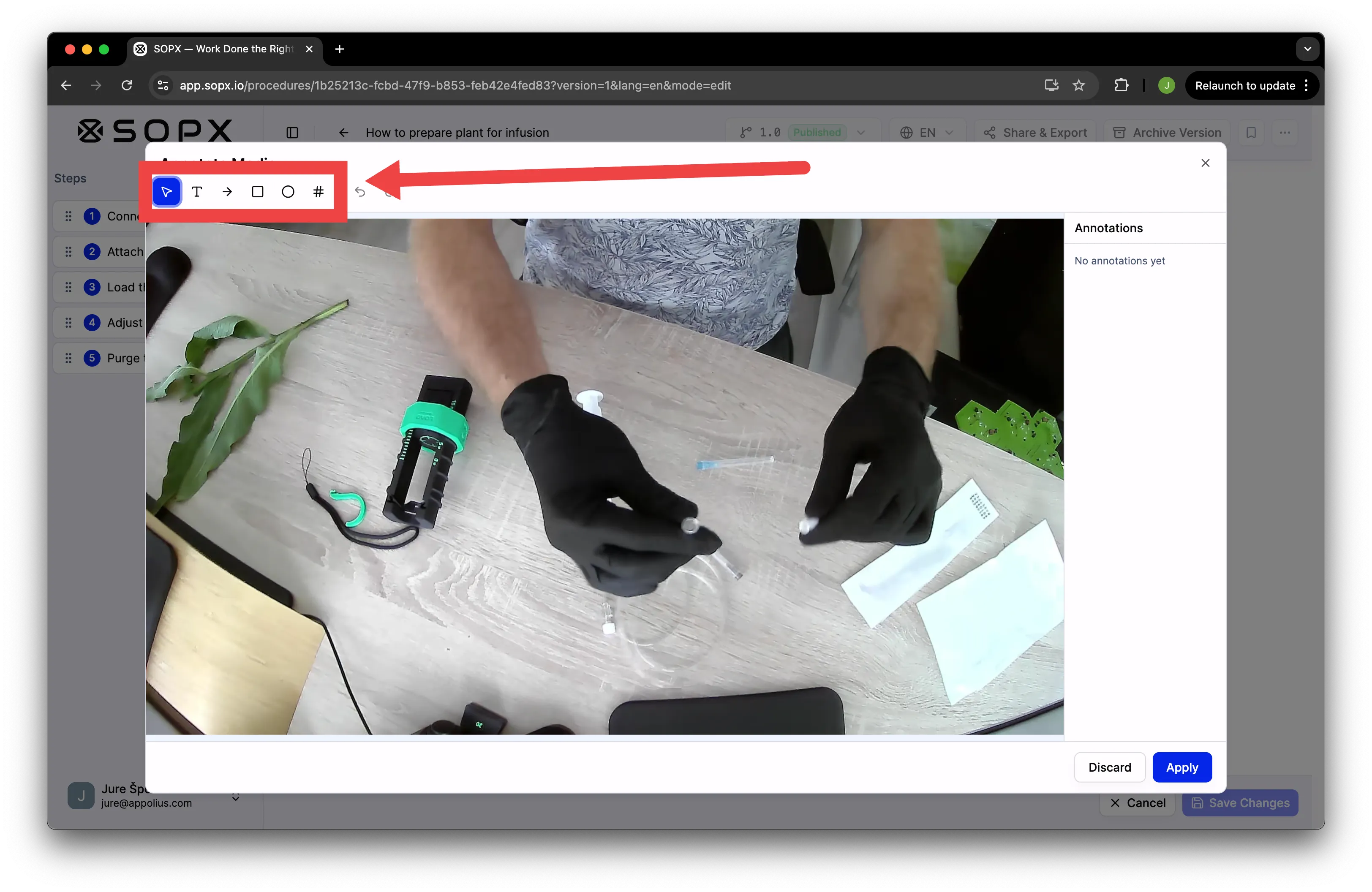
Use any combination of text, arrows, rectangles, ellipses, and callouts to point operators at the exact thing they need to focus on. You can layer more of them on one image and sort which one is in the foreground with arrows in the right menu.
Step 4: Click Apply
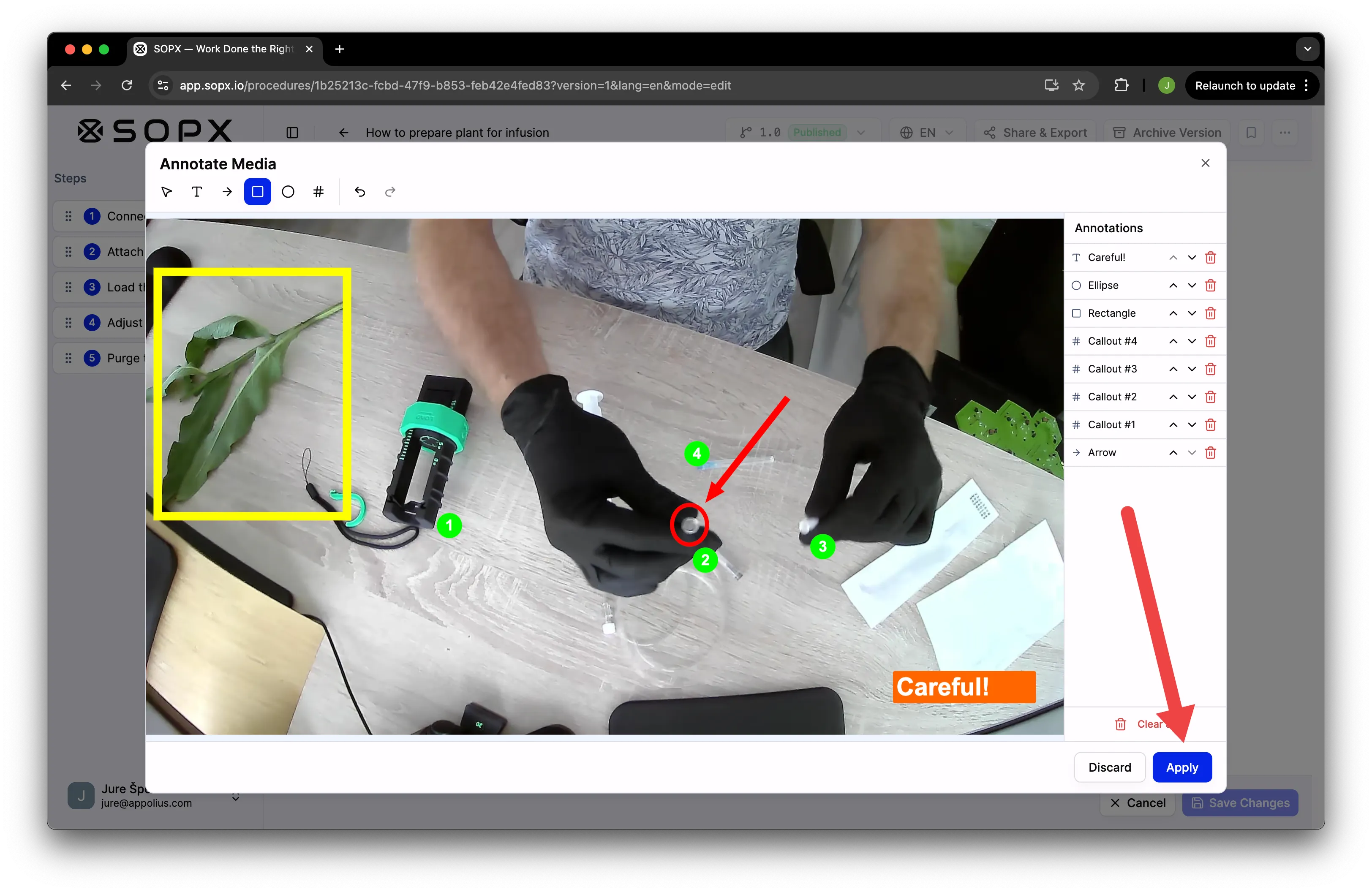
Apply confirms the markup on the frame and closes the annotation popup. This does not save the SOP yet. Saving happens in the next step.
Step 5: Choose where annotations show, then Save changes
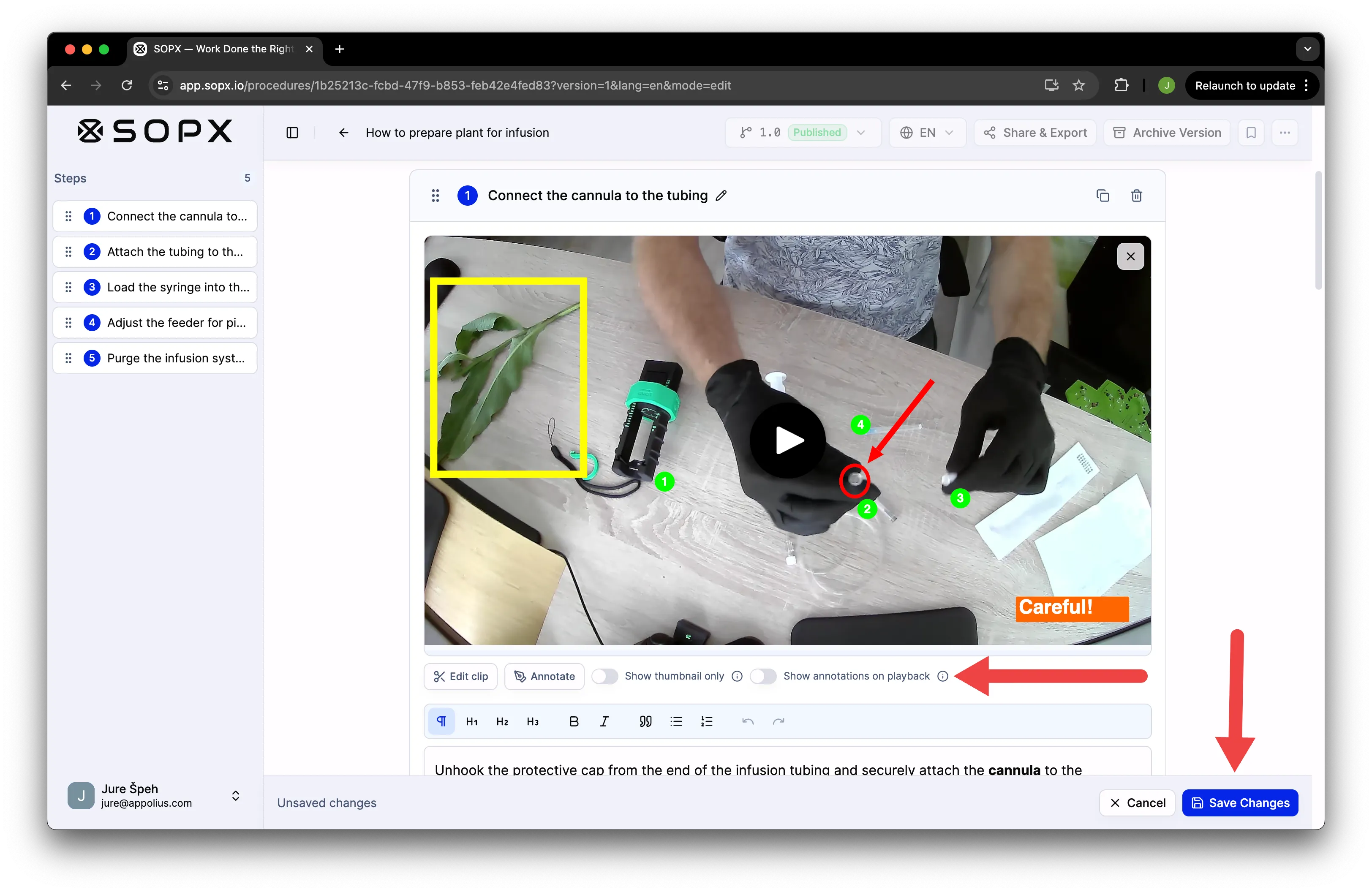
A toggle controls whether annotations appear on the video clip during playback or only on the thumbnail. It defaults to off, which means thumbnail only. Turn it on if you want operators to keep seeing the markers while the video plays. Click Save changes to commit the SOP.
Step 6: Toggle between video and Detail view
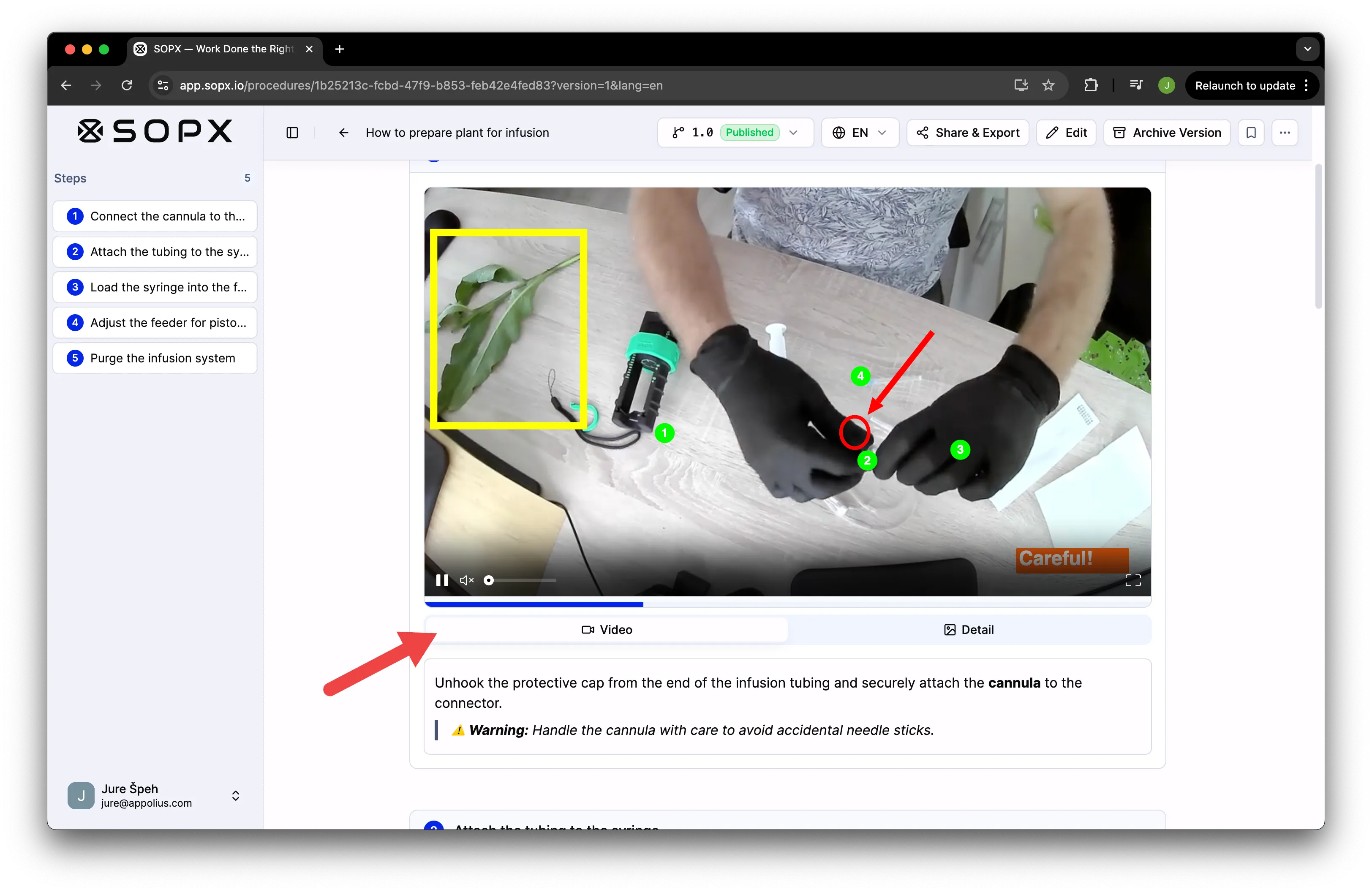
End users can now switch between the video clip and the Detail view. Detail view opens the annotated key frame at full size next to the video, so the operator can study the marker without pausing the playback.
When to use annotations
- Point to a specific button or control on a panel.
- Mark a torque value, gauge reading, or measurement.
- Highlight an inspection point on a part.
- Call out the difference between two similar components.
- Flag a safety hazard the operator should avoid.
Here is a good rule. If a new operator would need someone standing next to them to point at the right thing, that is a place for an annotation.
Frequently Asked Questions
What is the best way to create visual SOPs with screenshots and annotations?
Start from a real frame instead of a blank page. Record the process or upload a screen recording or a PDF, let SOPX AI split it into steps and pull a screenshot for each, then annotate the frames that need it with arrows, rectangles, ellipses, callouts, and text. The screenshots come straight from the work and the annotations point the operator at the exact detail, so the SOP is visual and specific without any drawing from scratch.
What can I annotate with?
Text, arrows, rectangles, ellipses, and callouts. You can combine any of them on a single frame.
Can I annotate both images and videos?
Yes. Annotations work on standalone images and on video frames. You decide whether the annotations appear on both the thumbnail and the video, or on the thumbnail only.
Where do annotations appear?
Annotations always appear on the step thumbnail. They optionally appear on the video clip itself during playback if the toggle is on. Detail view shows the annotated key frame at full size next to the video.
Are annotations added automatically by AI?
Not today. Annotations are added manually. AI-generated annotations are in development. Contact us at [email protected] for the release date.
Can I edit or remove an annotation later?
Yes. Re-enter editor mode on the step, click Annotate, and adjust or delete any annotation. Save changes to publish the update.
Do annotations show in PDF and Word exports?
Yes. Annotations are included in PDF and Word exports, so shared SOPs and printed copies stay consistent with what operators see in the app.
Annotations are available now in SOPX. Sign up or log in to start marking up your procedures.